The Easiest Way to Share Multiple Files Between Your Phone, PC, and Servers (Without Cables or Cloud Limits)
The All-in-One File Sharing Solution: How Our App’s 3 Core Features Make Moving Files Effortless across Android, Windows, Mac, Linux, and Remote Infrastructure.
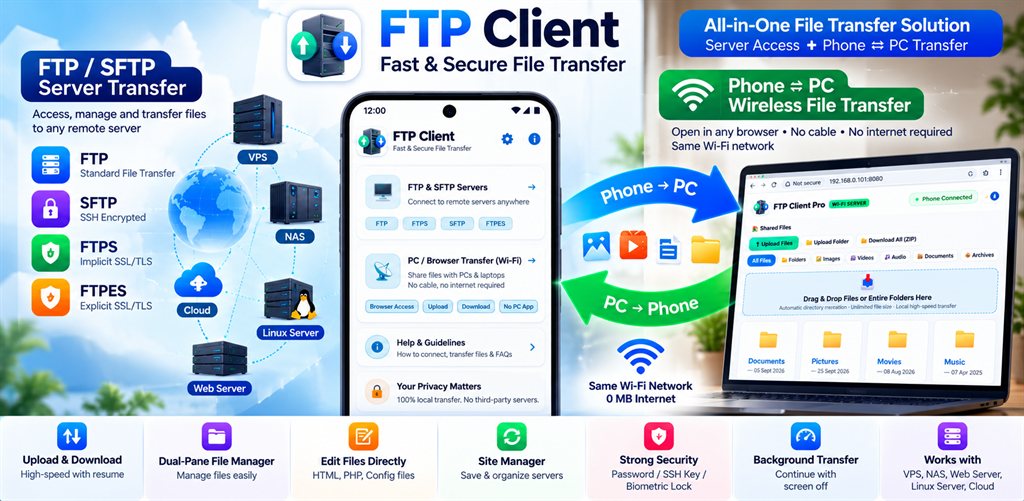
Have you ever tried sending a large batch of vacation photos or videos from your phone to your computer, only to run into annoying roadblocks?
Transferring files between modern devices can quickly become an exercise in frustration. One day, you are desperately searching for a USB cable just to move holiday videos from your phone to your laptop. The next day, you need to send a batch of large PDFs between two computers on the same office network. On top of that, you might manage a website, a virtual private server (VPS), or a home NAS storage box that requires complex server tools.
Most people end up juggling three or four different apps—or worse, uploading everything to slow cloud storage that burns mobile data, compresses your media, and charges monthly subscription fees.
Messy USB Cables
Cables that disconnect the moment you bump your phone, missing drivers, or annoying "Charging only" mode toggles.
Slow Cloud Storage & Fees
Apps that take forever to upload, burn your limited cellular data, compress your photos, and demand a monthly subscription.
95% Failure Roadblocks
Large transfers that fail at 95% because your Wi-Fi flickered for two seconds—forcing you to restart completely from 0%.
If you are tired of jumping through hoops just to move your own files, FTP Client File Transfer (published on Google Play as com.ftpclient.app) was built specifically for you.
The All-in-One Solution: 3 Core Features
Instead of complicated setups and fragmented tools, the app is engineered around 3 core pillars designed for everyday, high-speed file sharing:
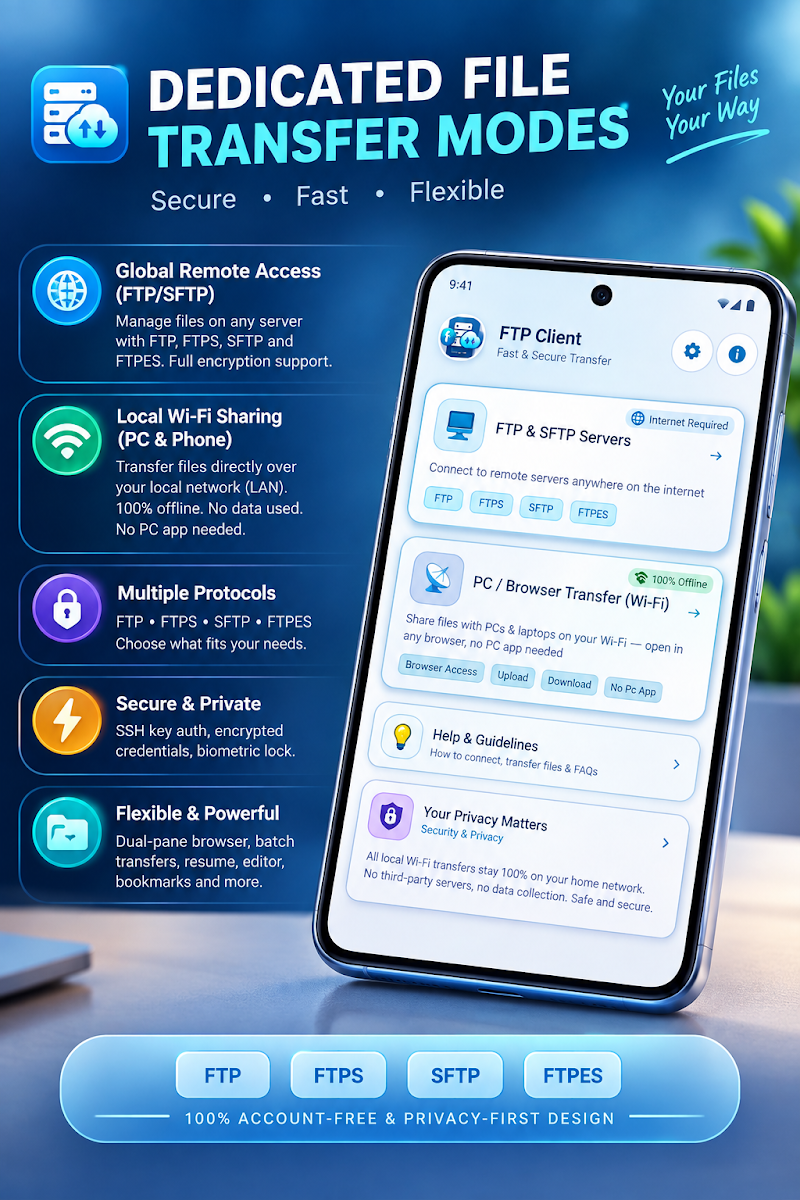
PC ⇄ Phone Transfer
Move files wirelessly between your phone and any computer via Chrome, Edge, Safari, or Firefox without software installation.
Sharing Hub
Connect multiple PCs, laptops, and phones together directly over local Wi-Fi to exchange gigabyte files peer-to-peer.
FTP & SFTP Servers
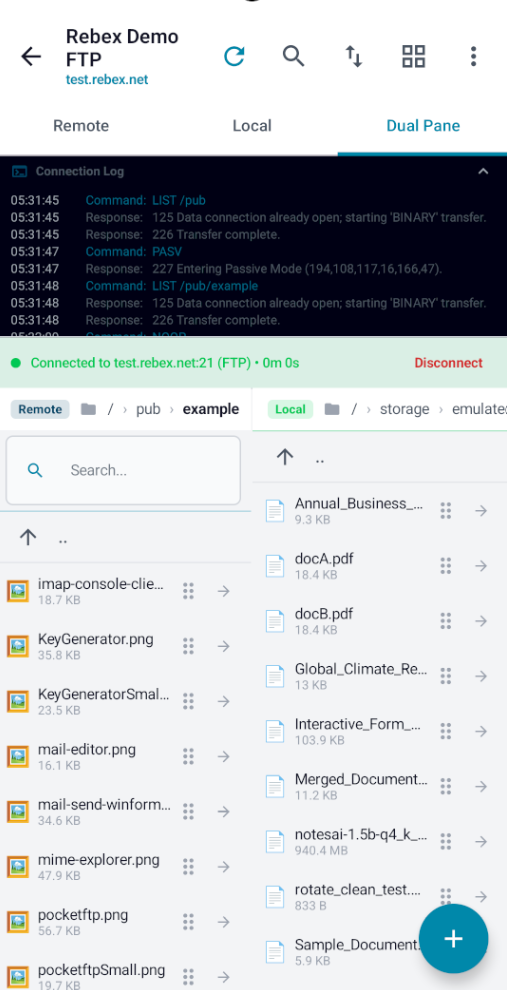
Connect to remote Linux VPS, web hosts, NAS, and cloud servers with drag-and-drop, SSH keys, and an in-app code editor.
PC ⇄ Phone Transfer (Wi-Fi)
Move files between computer and phone with zero cables and zero internet dataWhat It Does:
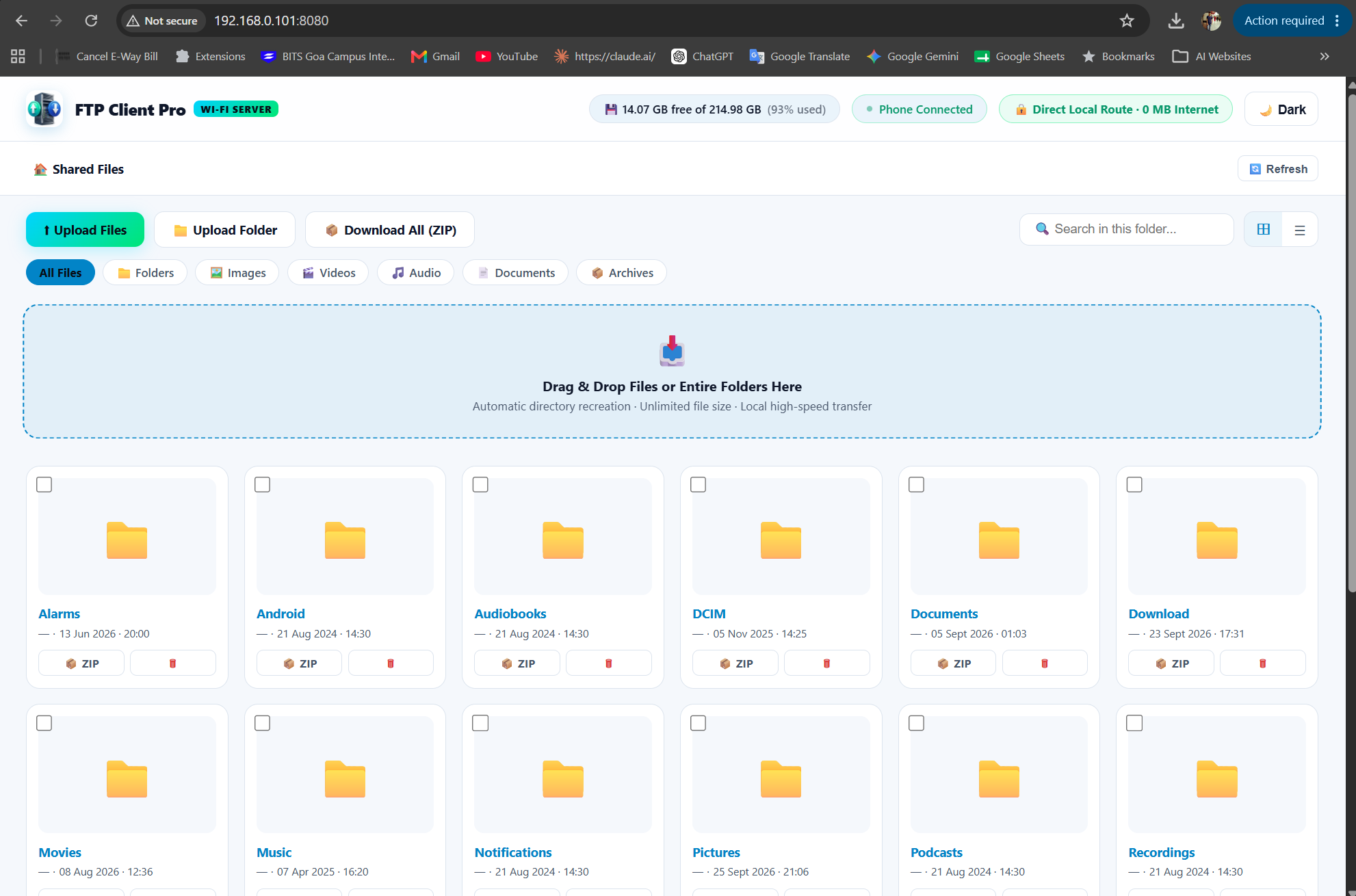
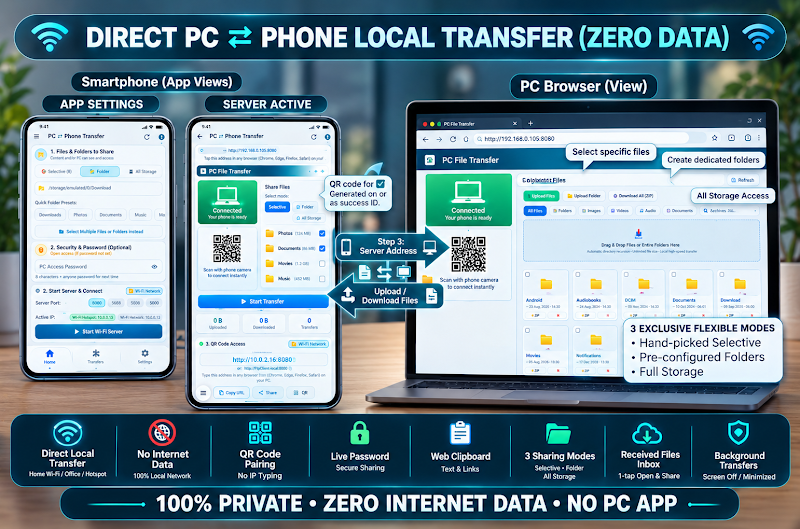
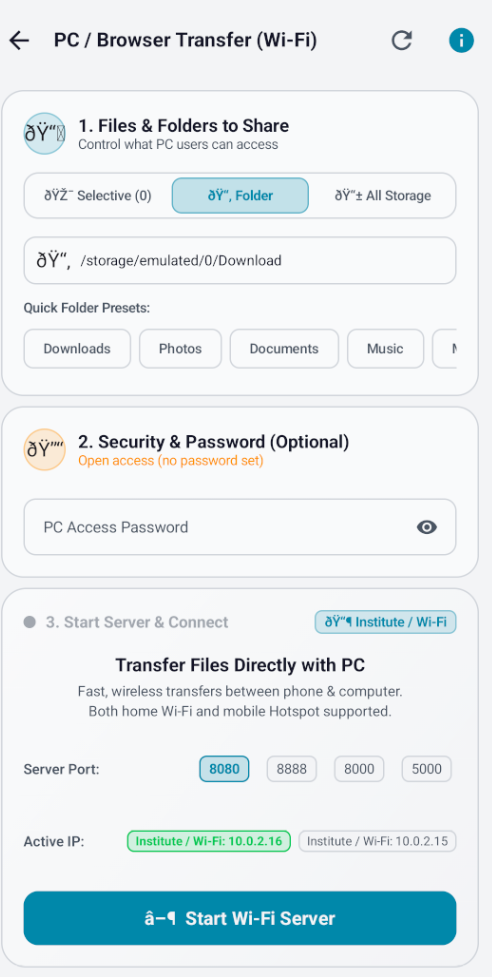
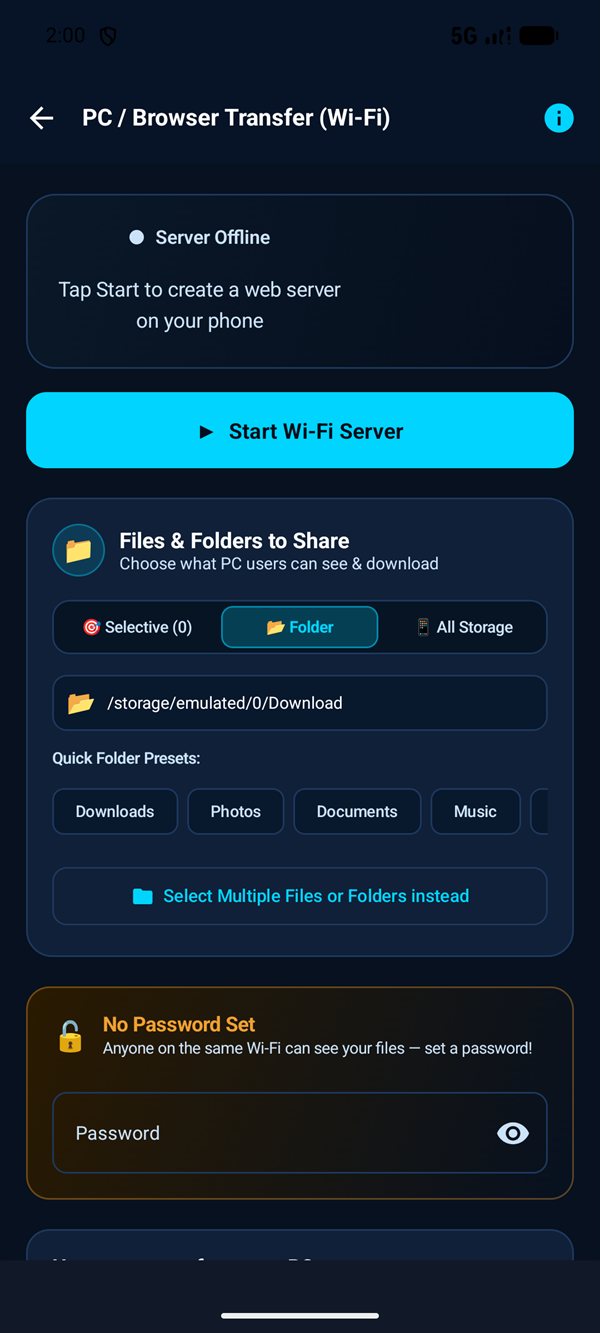
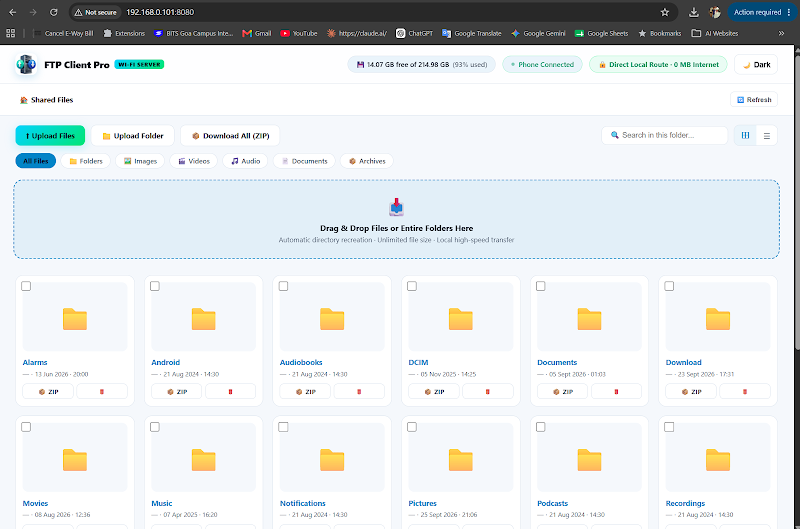
This standout feature turns your phone into a secure, temporary local web station. It allows you to view, download, and upload files to and from your phone using any desktop computer, laptop, or tablet on the same Wi-Fi network.
How It Works:
http://192.168.1.15:8080) and an instant dynamic QR code are displayed on your phone screen.
Why You’ll Love It:
.zip file in one click.
Sharing Hub (Device ⇄ Device)
Pair any phone, laptop, or PC on your Wi-Fi and send files directly between themWhat It Does:
While Feature 1 connects your computer specifically to your phone's storage, the Sharing Hub acts as a decentralized local connection exchange for all your devices. It allows multiple PCs, laptops, tablets, and phones on the same Wi-Fi network to discover each other and transfer files back and forth seamlessly.
How It Works:
Why You’ll Love It:
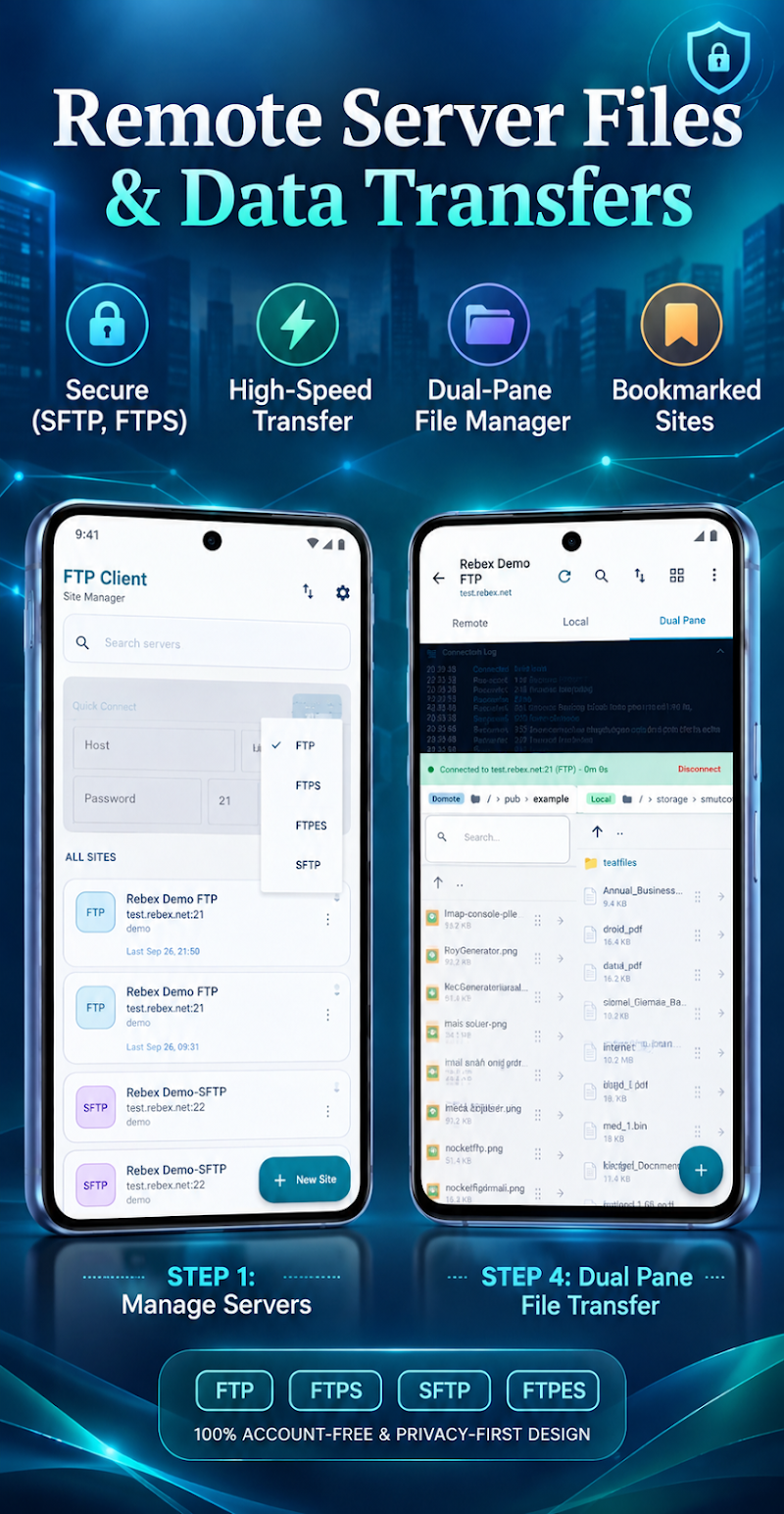
Remote Servers & Dual-Pane Manager (FTP, FTPS, SFTP)
Manage remote websites, seedboxes, and home NAS storage with simple drag-and-dropWhat It Does:
For web developers, computer science students, IT sysadmins, or anyone with a home network-attached storage (NAS), this feature provides a full-featured desktop-class client supporting standard RFC 959 FTP, secure FTPS/FTPES (SSL/TLS), and encrypted SFTP over SSH-2.
How It Works:
Why You’ll Love It:
.htaccess, HTML page, Python script, or JSON config? Open, edit, and save it directly on the remote server.
Power Capabilities You Won't Find Elsewhere
1. Bulk Sharing: Move Hundreds or Thousands of Files at Once
Sending files one by one is painful. Whether you are backing up 500 high-resolution camera photos, transferring an entire audio collection, or migrating project workspaces, FTP Client File Transfer handles heavy lifting with ease:
- Select Everything in One Tap: Choose individual files, pick preset folders (Downloads, Photos, Documents, Movies), or share your entire internal storage.
- Instant ZIP Downloads: When browsing your phone from your PC, download an entire folder compressed as a single
.zipfile with one click. - Lightning-Fast Drag-and-Drop Uploads: Need to copy a folder from your laptop to your phone? Simply drag and drop it into your computer’s browser window.
Pro Tip: Stream Archive (.tar.gz)
On remote SFTP/FTP servers, use the 1-Tap "Stream as Archive" option to download massive directory structures compressed on-the-fly, eliminating thousands of round-trip network handshakes.
2. Smart Resume: No More Starting Over from 0%
We’ve all experienced the sheer frustration of a 2 GB video transfer failing at 95% because the Wi-Fi momentarily dropped. With our app’s Smart Resume Engine:
- If your connection drops, the app pauses gracefully and attempts automatic exponential backoff reconnection.
- When the link restores, the transfer resumes at the exact second and byte where it left off, rather than resetting to 0%.
- You save hours of time and never re-download data you’ve already received.
3. Transfers Keep Going While You Use Other Apps
Many mobile file-sharing apps freeze or get terminated the moment you switch apps or lock your screen. FTP Client File Transfer runs as an optimized Android Foreground Service:
- You can freely switch to WhatsApp, check emails, watch YouTube, or put your phone in your pocket.
- A floating progress bar and persistent notification provide real-time updates on transfer speed (MB/s), percentage completed, and estimated time remaining.
- Target SDK 36 (Android 16 Ready) guarantees modern battery optimization compliance without aggressive system termination.
Zero Cloud Dependency & Total Privacy
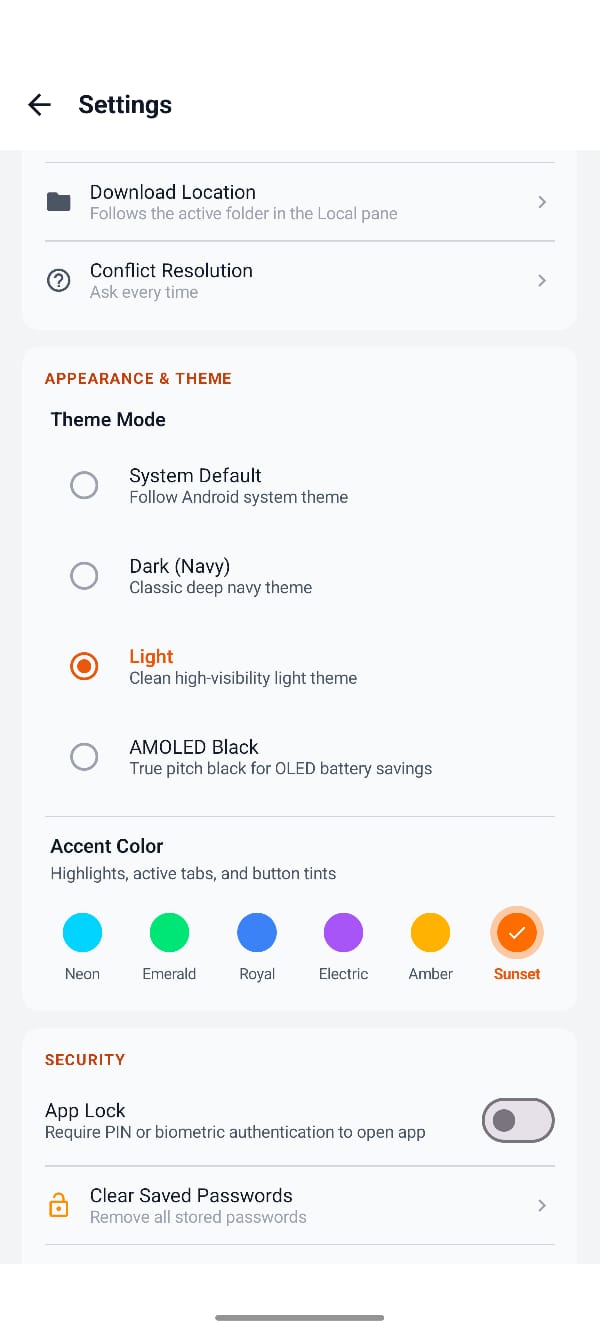
All data moves point-to-point across your local network or direct SSH tunnel. None of your personal photos, videos, or documents pass through third-party servers. Hardware-backed Android Keystore and biometric fingerprint/PIN locking ensure complete peace of mind.
Feature Comparison at a Glance
Quick breakdown of when and where to use each core feature in the app:
| Core Feature | Best Used For | What It Connects | Internet Required? | Protocol |
|---|---|---|---|---|
|
PC ⇄ Phone Transfer
|
Backing up photos, downloading media, sending docs between phone & laptop | Phone ⇄ Any Computer Web Browser | ❌ No (0 MB Data) | Local HTTP / WebDAV / FTP |
|
Sharing Hub
|
Moving files between two PCs, laptops, or phones on the same Wi-Fi | Device ⇄ Device (PC, Mac, Phone) | ❌ No (0 MB Data) | Peer-to-Peer LAN Exchange |
|
FTP & SFTP Servers
|
Website maintenance, cloud VPS management, home NAS storage backups | Phone ⇄ Remote Internet Server or NAS | ✔️ Yes (or local LAN) | FTP / FTPS / FTPES / SFTP (SSH-2) |
Official Google Play Store Screenshots
Click any image to view in full resolution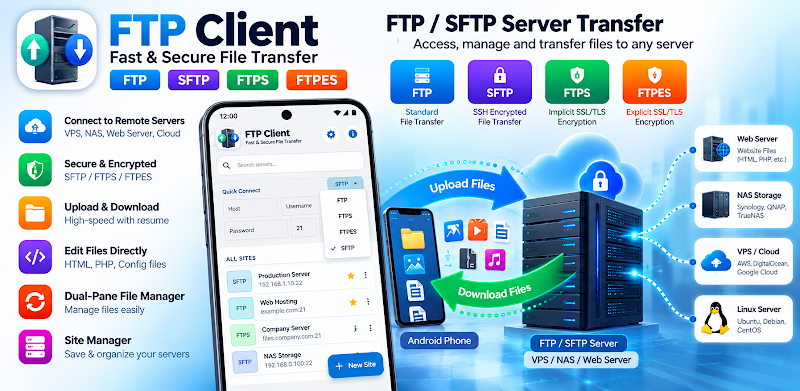
Quick Start: How to Share Files in 3 Easy Steps
Get your first wireless file transfer running in under 30 seconds:
Open the App & Tap Start
Tap "PC ⇄ Phone Transfer" on your phone screen and hit Start to activate your local wireless bridge.
Open Browser on Computer
Open Chrome, Edge, Safari, or Firefox on your computer and type the short address shown or scan the instant QR code.
Transfer Back & Forth!
Download photos and folders as instant ZIPs to your PC, or drag and drop files from your computer straight to your phone!
Summary
Whether you are backing up precious memories, sending homework projects, moving 4K movie clips, or managing an enterprise Linux server, FTP Client File Transfer eliminates the hassle of cables, slow cloud uploads, and failed transfers.
Fast, private, and simple—just the way file sharing should be.
Ready for Cable-Free Sharing?
Download FTP Client File Transfer for Android today. 100% Free, zero commercial tracking, and fully optimized for Android 16.