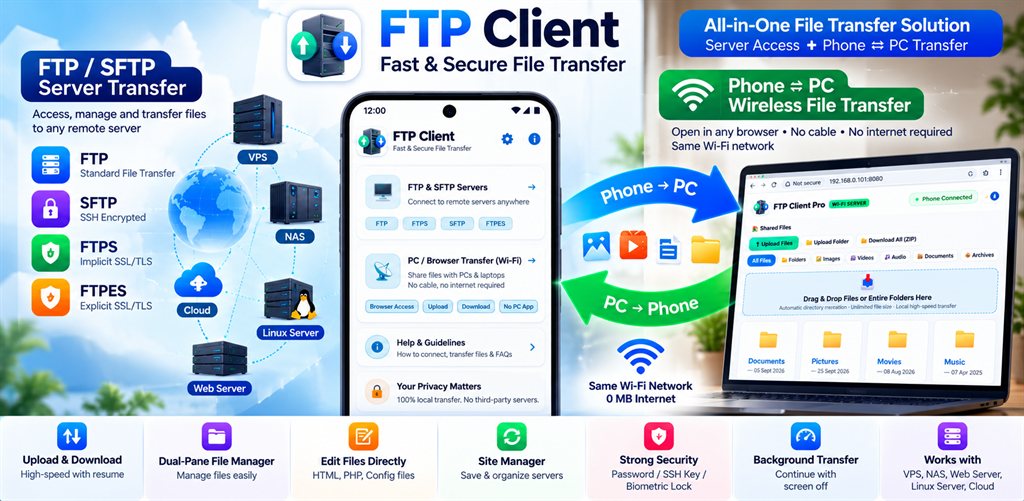
App Screenshots & Interface
Click the landscape feature graphic or any screenshot to view in full resolution lightbox.
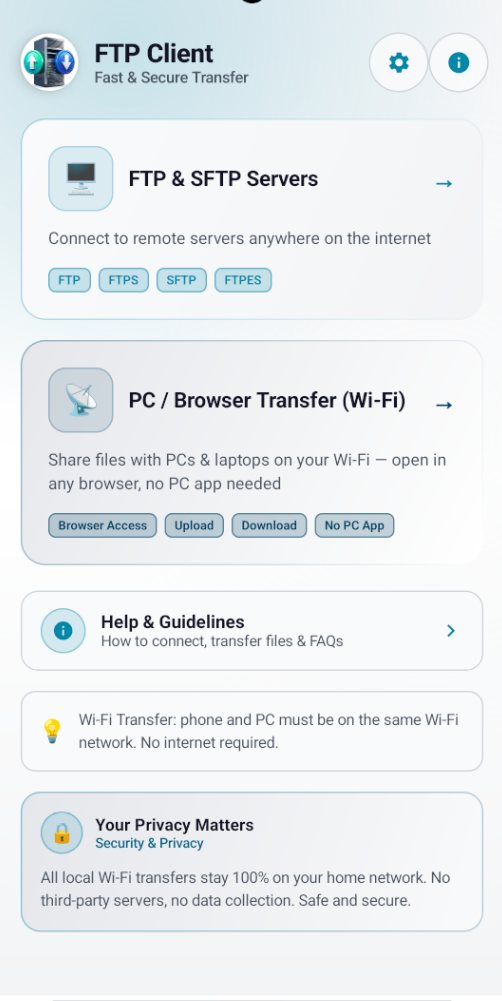
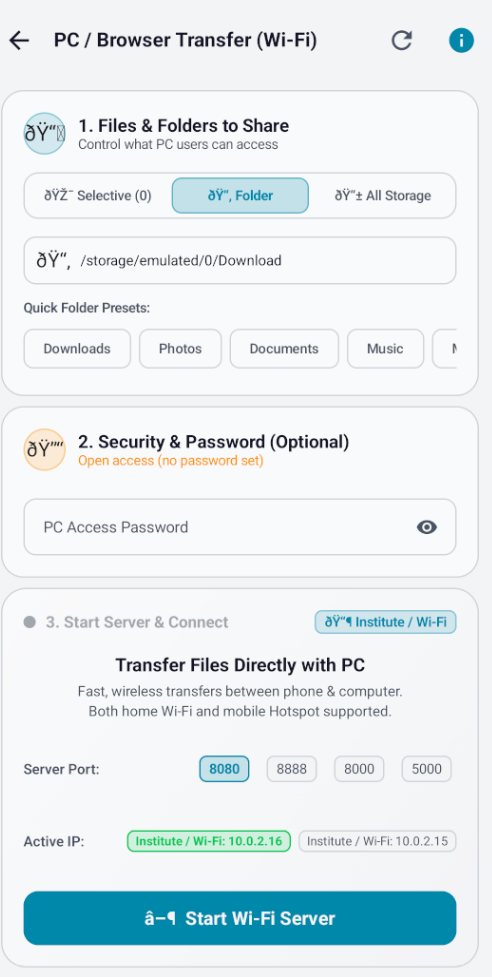
In-App Mobile Screens (Portrait)
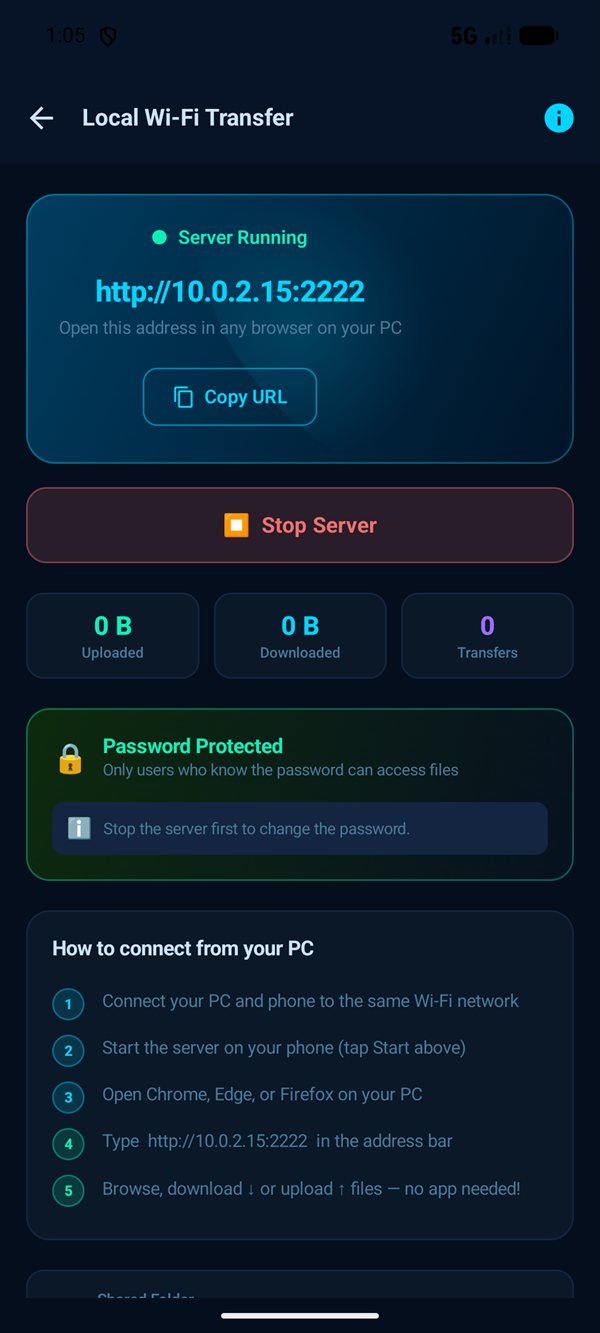
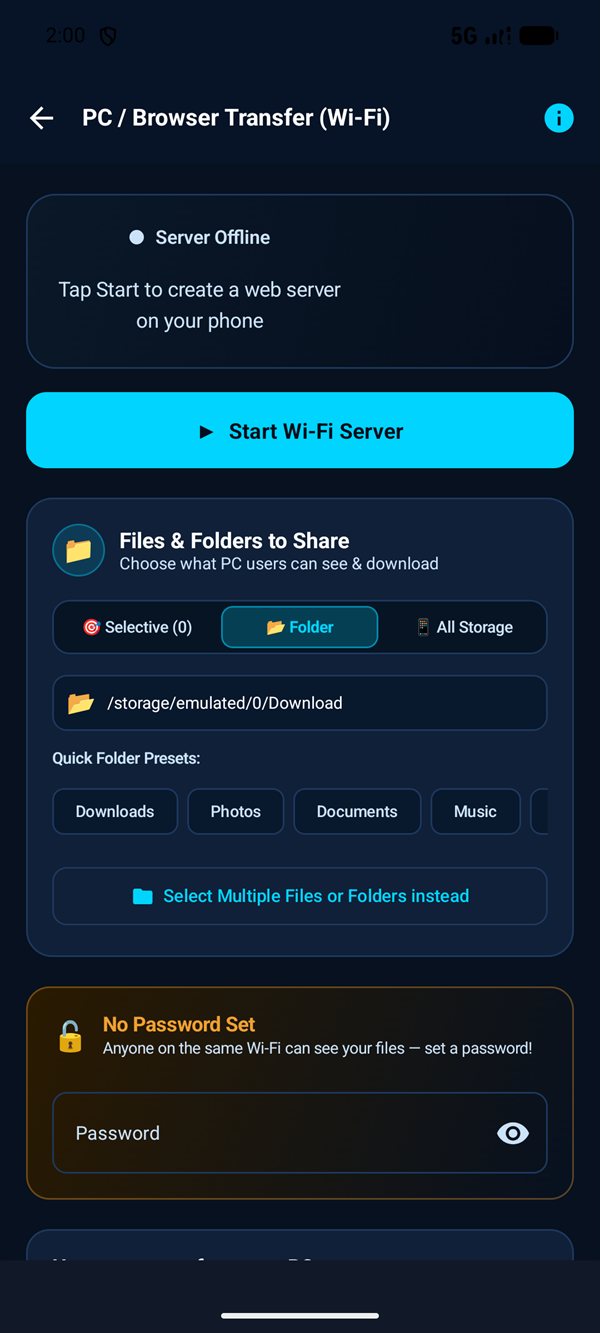
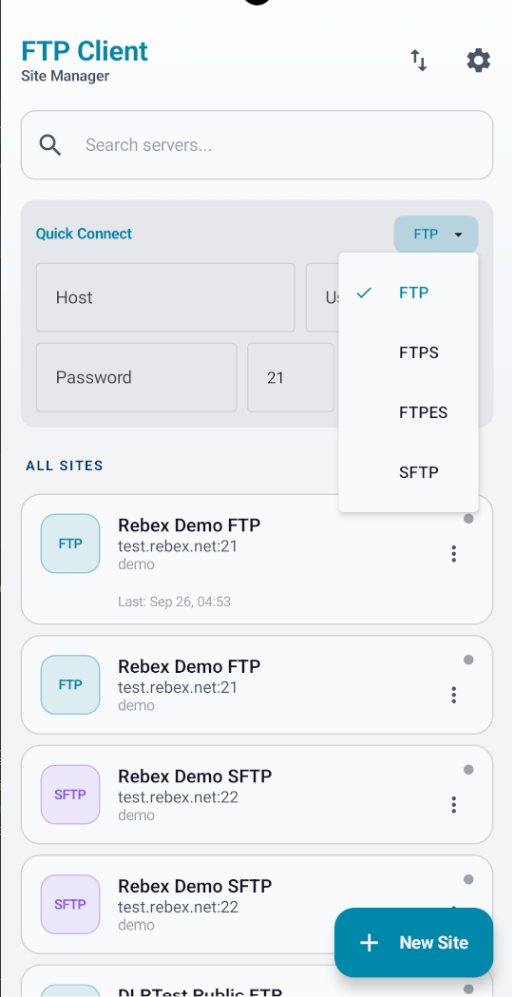
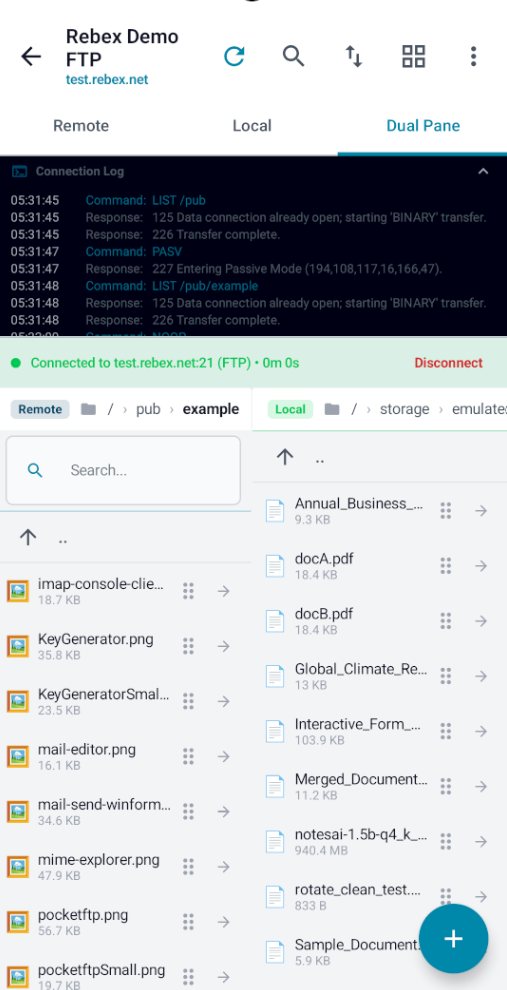
Built For Developers, Sysadmins & Power Users
1. Remote FTP & SFTP Server Client
Connect securely to remote servers, cloud VPS, web hosting, and NAS via standard RFC 959 FTP (Active/Passive), FTPS (Implicit TLS), FTPES (Explicit TLS), and SFTP over SSH-2 with password or Ed25519/RSA SSH private keys.
2. Built-in Local Wi-Fi Server (Phone ⇄ PC)
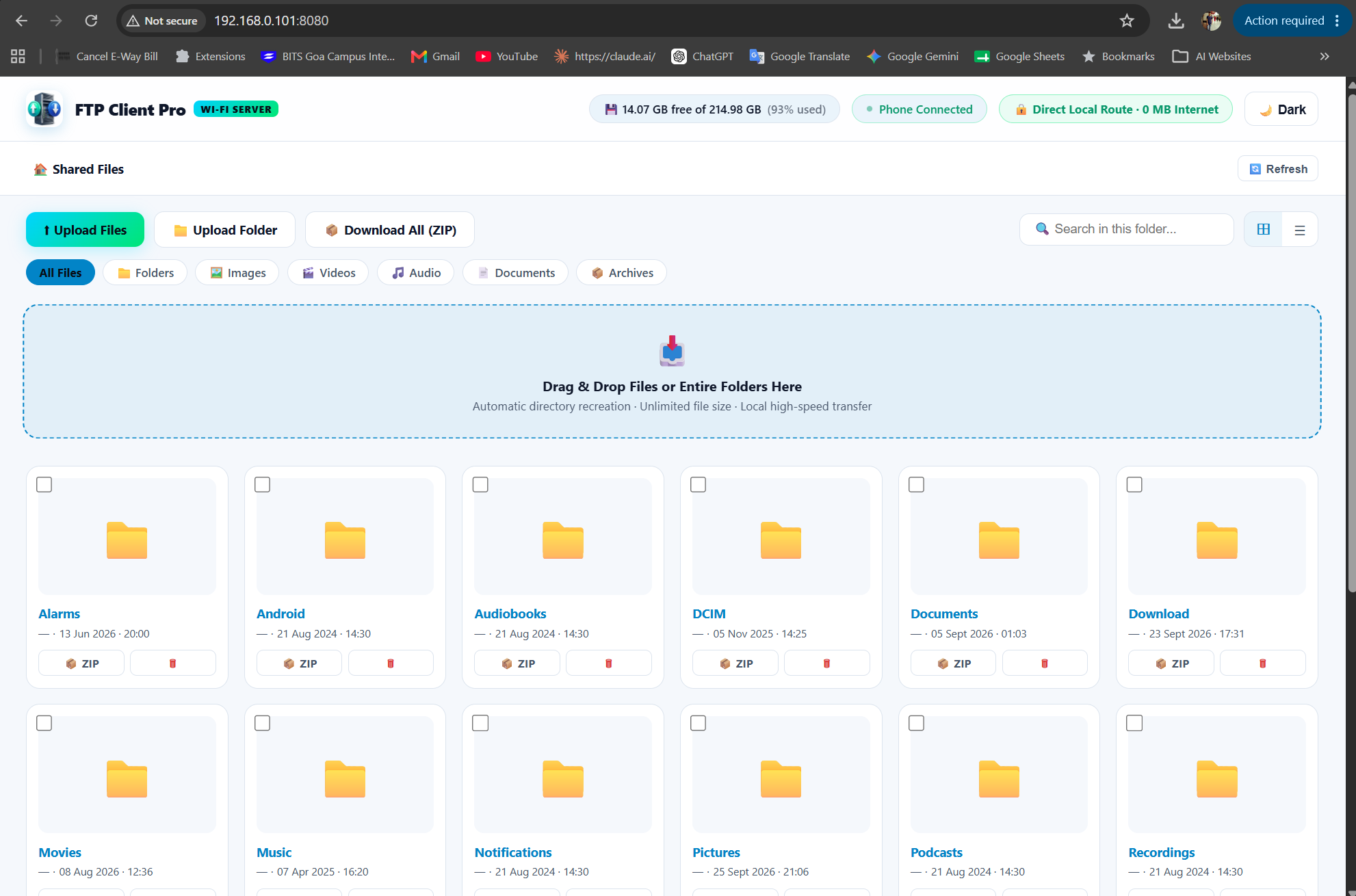
Turn your phone into a high-speed local transfer server with zero internet data or cables. Open in any PC/Mac/Linux web browser with QR code pairing, 3 flexible sharing modes, session PIN security, and web clipboard.
3. Ultra-Fast Batch Transfers & Archive Streaming
Queue 10,000+ files and nested folders with zero UI lag. Stream remote folders on-the-fly as compressed .tar.gz archives, transfer multi-GB files with 100% integrity, and monitor via the floating mini-bar.
4. Dual-Pane Drag & Drop Browser
Simultaneously view your remote server and local device storage side-by-side. Drag and drop files directly between panes with real-time drop-target highlights and background Foreground Service execution.
5. In-App Code Editor & Unix CHMOD
Edit remote HTML, PHP, JavaScript, CSS, JSON, XML, and TXT files directly with syntax-aware auto-save. Inspect and adjust Unix file permissions with an interactive 755/644 octal calculator.
6. Hardware Keystore Encryption & Biometric Lock
Zero tracking, zero analytics, zero external servers. All saved server credentials are encrypted via hardware-backed Android Keystore, protected by fingerprint, face unlock, or PIN code.
Comparison: Why Users Switch to FTP Client
Searching for a modern, privacy-first solution for dual-pane remote file management and high-speed local wireless transfers? Here is how FTP Client compares against conventional mobile and cloud utilities:
| Capability / Feature | FTP Client & WiFi Server (Our App) | Conventional Mobile FTP Clients | Cloud-Dependent File Transfer Apps |
|---|---|---|---|
| Dual Client + Server Architecture | ✅ Both Remote Client & Local Wi-Fi Server | ❌ Client only (No Wi-Fi PC Server) | ❌ Requires internet & account login |
| 100% Offline (Zero Internet Data) | ✅ 100% Offline (Local Wi-Fi / Hotspot) | ⚠️ Requires internet connection | ❌ Routes data through cloud servers |
| Batch Transfer Capacity | ✅ 10,000+ files with zero lag (v1.4.3) | ❌ Freezes or crashes on large queues | ❌ Strict file size & daily quota limits |
| Stream as Archive (.tar.gz) | ✅ 1-Tap on-the-fly folder compression | ❌ Downloads each file individually | ❌ Requires server-side compression |
| Dual-Pane Drag & Drop Interface | ✅ Side-by-side local & remote panes | ❌ Single-pane list with tedious tabs | ❌ Browser web-app only |
| SSH Private Key Authentication | ✅ Ed25519, ECDSA, RSA (.pem, .ppk) | ⚠️ Basic RSA only (often fails on modern keys) | ❌ Not supported |
| Credential Security Vault | ✅ Hardware Android Keystore + Biometrics | ❌ Plaintext or weak local storage | ❌ Stored on third-party cloud servers |
| Privacy & Telemetry | ✅ 100% Private, Zero Tracking, No Ads | ⚠️ Ad banners or paid upgrade prompts | ❌ User tracking & remote analytics |
| Android 16 & Target SDK 36 | ✅ Fully optimized for Android 15 & 16 | ❌ Outdated Target SDK (API 28–30) | ⚠️ Heavy background battery drain |
Real-World Use Cases & Industry Workflows
From Linux server maintenance to multi-gigabyte video transfers, discover how professionals utilize FTP Client & WiFi FTP Server:
Cloud DevOps & Linux Sysadmins
AWS EC2 · Ubuntu · Debian · VPSAuthenticate securely to remote cloud servers using Ed25519 or RSA 4096-bit SSH keys. Inspect Nginx logs, tweak Docker environment configs in the in-app editor, and verify CHMOD octal permissions (755/644) directly from your smartphone while on call.
4K Mobile Creators & Videographers
Multi-GB Video · Zero Cable · Direct PreviewDump raw 4K/60fps video shoots, audio recordings, and drone footage directly to your editing workstation over local Gigabit Wi-Fi. Support for HTTP 206 byte-seeking lets your team preview huge video files in any desktop browser before downloading.
Webmasters & Full-Stack Developers
WordPress · PHP · HTML/JS · cPanel Hosting
Connect to cPanel, WHM, or shared hosting via FTPS or SFTP. Download entire theme folders instantly with 1-tap .tar.gz archive streaming, edit bugged scripts with syntax highlighting, and upload production patches with zero downtime.
Cable-Free Office & Team Collaboration
Hotspot Sharing · Windows / Mac / Linux BrowserNo USB cable or Wi-Fi router available? Launch the built-in server over your phone's personal hotspot. Coworkers can scan the QR code to upload presentations, PDFs, and client assets directly into your designated folder with 100% offline security.
Step-by-Step Guide: How to Wirelessly Transfer Files to PC
Learn how to connect your Android smartphone to any Windows, Mac, or Linux computer over direct Wi-Fi without cables or third-party software:
Ensure your phone and PC are connected to the same Wi-Fi router (or connect your PC to your phone's personal hotspot). Open FTP Client and tap Local Wi-Fi File Sharing.
Select your preferred privacy scope: Entire Storage for complete file access, Specific Folder (e.g., DCIM, Downloads), or Custom Files for curated multi-selection.
A clean connection screen displays a local IP address (e.g., http://192.168.1.50:8080) and a dynamic QR code. Open the address in Chrome, Safari, Edge, or Firefox on your computer.
Browse your phone storage right inside your desktop browser. Download files, stream 4K videos with byte-seeking, or drag and drop files from desktop to phone with zero cloud consumption.
Technical Specifications
| Application Name | FTP Client File Transfer (com.ftpclient.app) |
| Platform & Store | Android™ (Official Google Play Store) |
| Current / Upcoming Version | v1.4.3 (Build 23) Pre-Release |
| Target SDK | Android 16 Readiness (Target SDK 36 / API 36) |
| Minimum Operating System | Android 8.0 (API level 26) or higher |
| Supported Protocols | FTP (Active/Passive), FTPS (Implicit TLS), FTPES (Explicit TLS), SFTP (SSH-2), Local Wi-Fi HTTP/FTP |
| Batch & Speed Engine | 10,000+ files batch queue, .tar.gz archive streaming, 256 KB turbo Wi-Fi buffers, multi-GB streaming |
| Wireless Sharing Engine | Embedded Local Wi-Fi Server (Phone to PC, QR Code Pair, 3 Share Modes, Zero Cable / Zero Internet) |
| Authentication Modes | Username/Password, SSH Private Key (RSA, ECDSA, Ed25519), Biometric App Lock & PIN Code |
| Core Libraries | Apache Commons Net 3.10.0, JSch 0.2.15, Android Jetpack Room 2.8.5 & Coroutines, Coil 2.5.0 |
| Data Privacy Policy | 100% Client-Side. No remote analytics, no tracking, and no server databases. All server connection profiles and bookmarks are stored encrypted via Android Keystore in your local phone storage only. |
Common Questions About FTP Client & Similar Apps
What is new in the upcoming v1.4.3 update of FTP Client?
The upcoming v1.4.3 (Build 23) release introduces an Ultra-Fast Batch Engine capable of handling 10,000+ files smoothly with zero lag, Turbo Wi-Fi Transfer for up to 3x faster Phone-to-PC file sharing, 1-tap Stream as Archive (.tar.gz) for remote folders, a Big Files Engine for multi-GB transfers and 4K videos, a silky-smooth 60 FPS task queue with floating mini-bar, and auto-retry network resiliency.
How does FTP Client provide both an FTP Client and a WiFi FTP Server?
FTP Client has a dual-engine architecture: (1) As a remote client, it connects to remote Linux VPS, AWS EC2, and NAS servers over FTP, FTPS, and SFTP with SSH keys. (2) As a local server, it launches an embedded Wi-Fi file server directly on your phone, allowing any desktop web browser on the same Wi-Fi to browse, download, and upload files wirelessly with zero cables and zero internet data.
Can FTP Client replace desktop-class dual-pane SFTP software on Android?
Yes. While conventional desktop SFTP utilities lack modern Android mobile workflows, FTP Client File Transfer provides the familiar dual-pane interface, drag-and-drop transfers, site manager bookmarks, multi-protocol support (FTP, FTPS, SFTP), SSH private key authentication (Ed25519/RSA), and remote CHMOD permissions directly on your mobile device with zero advertisements and zero cloud dependency.
How does 1-tap Stream as Archive (.tar.gz) work for remote directories?
Instead of downloading thousands of individual small files one by one (which creates high TCP handshake overhead), FTP Client streams the entire remote directory structure on-the-fly as a compressed .tar.gz archive, dramatically boosting download speeds.
Does FTP Client support Ed25519 and RSA SSH keys for SFTP connections?
Yes. FTP Client natively supports modern elliptic curve Ed25519 (ssh-ed25519), ECDSA NIST P-256/384/521, and RSA 2048/4096-bit private keys in OpenSSH, PKCS#8, and PEM formats, with optional key passphrase unlocking for connecting to Linux VPS and AWS EC2 servers.
How can I transfer files between phone and PC without USB cables or internet?
Start the built-in 'Local Wi-Fi File Sharing' server in FTP Client. Select your sharing scope (Entire Storage, Folder, or Custom Files), scan the on-screen QR code or open the displayed URL in any PC browser on Windows, Mac, or Linux to download or upload files at full local Gigabit Wi-Fi speed with zero internet data.
How does FTP Client protect passwords and SSH keys on device?
All server credentials, passphrases, and SSH keys are stored in encrypted SQLite storage backed by the hardware Android Keystore (AES-256 GCM). Access can be protected with biometric fingerprint unlock or a custom PIN code.
Can I edit remote HTML, PHP, and Python files directly on the server?
Yes. FTP Client includes a built-in syntax-highlighted code editor supporting HTML, PHP, JavaScript, CSS, Python, JSON, XML, YAML, and shell scripts. Tap any remote file to edit and save changes directly back to your server.
Can I inspect and change Unix CHMOD permissions on remote hosting?
Yes. Long-press any remote file or folder and select Permissions. Interactive checkboxes let you adjust Read, Write, and Execute rights for Owner, Group, and Others with real-time numeric octal calculation (e.g. 755, 644, 777).
How does FTP Client compare to cloud-based wireless transfer tools?
Conventional cloud-based transfer tools require creating an online cloud account, route data through third-party servers, and impose file size and daily bandwidth limits unless you buy a paid subscription. FTP Client operates 100% locally over your direct Wi-Fi router or phone hotspot with zero accounts, zero quotas, and complete data privacy.
Can I stream 4K videos directly from my phone to PC browser without downloading?
Yes. The embedded Wi-Fi file server supports HTTP 206 Partial Content byte-seeking. When opening videos in your PC browser, you can scrub to any part of a multi-GB 4K video instantly without waiting for the full file to download.
Is FTP Client compatible with Android 16 and Target SDK 36?
Yes. FTP Client targets Android 16 (Target SDK 36), fully adhering to modern Scoped Storage and Foreground Service requirements for stable, crash-free background transfers even when phone screen is turned off.
Search Engine & AI Discovery Index
Manage your remote servers with confidence.
Download FTP Client & WiFi FTP Server for Android directly on Google Play Store.