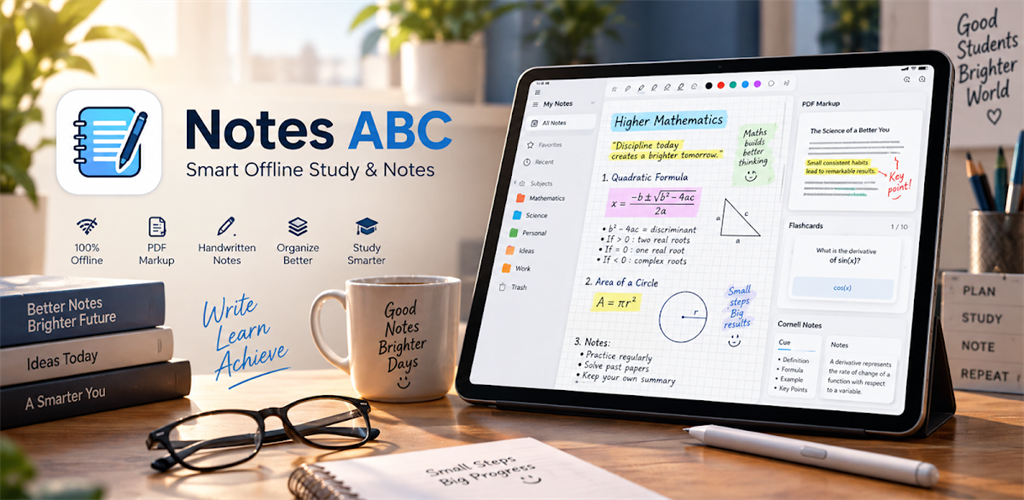
App Interface & Tools
Click the landscape feature graphic or any screenshot to view in full resolution lightbox.
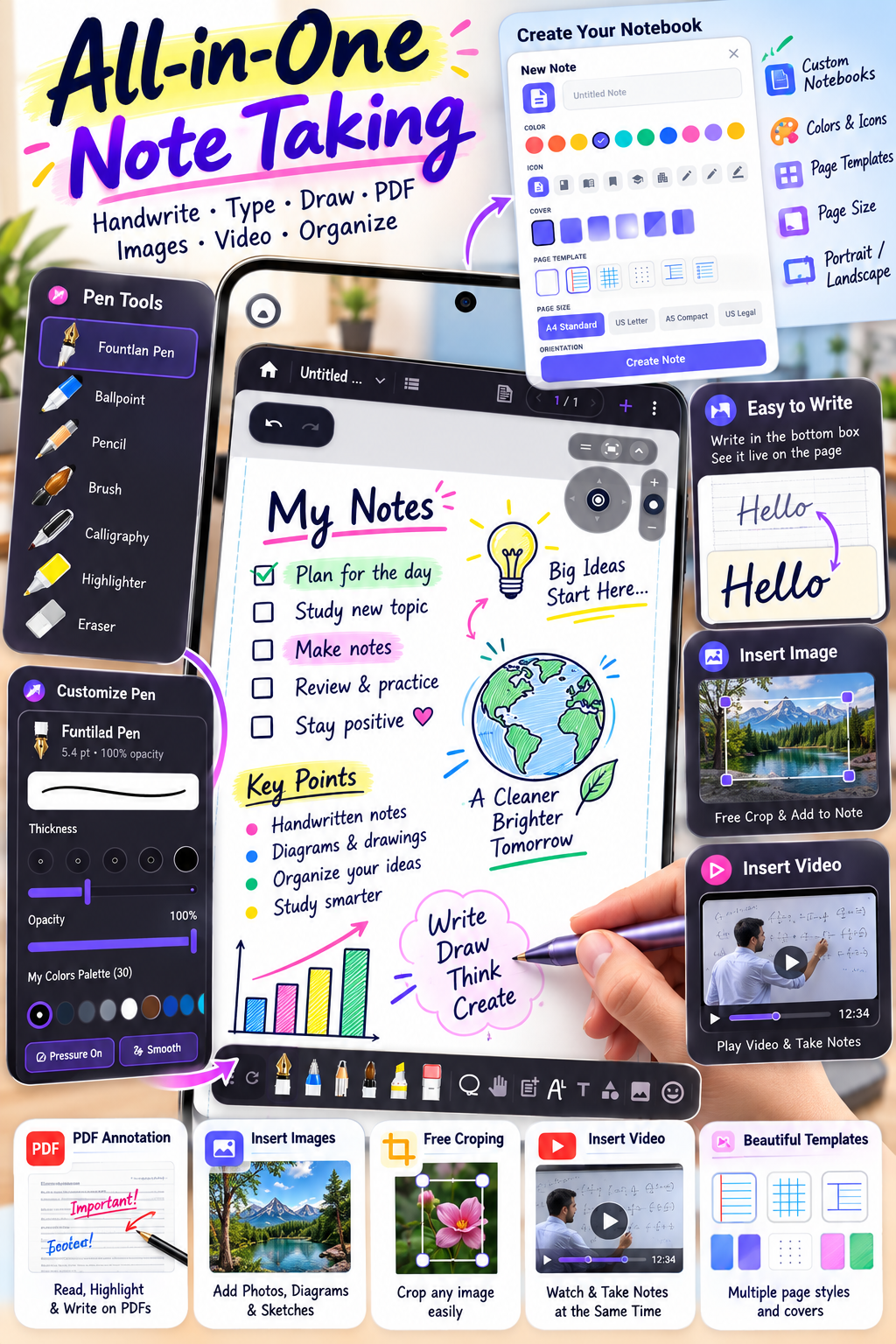
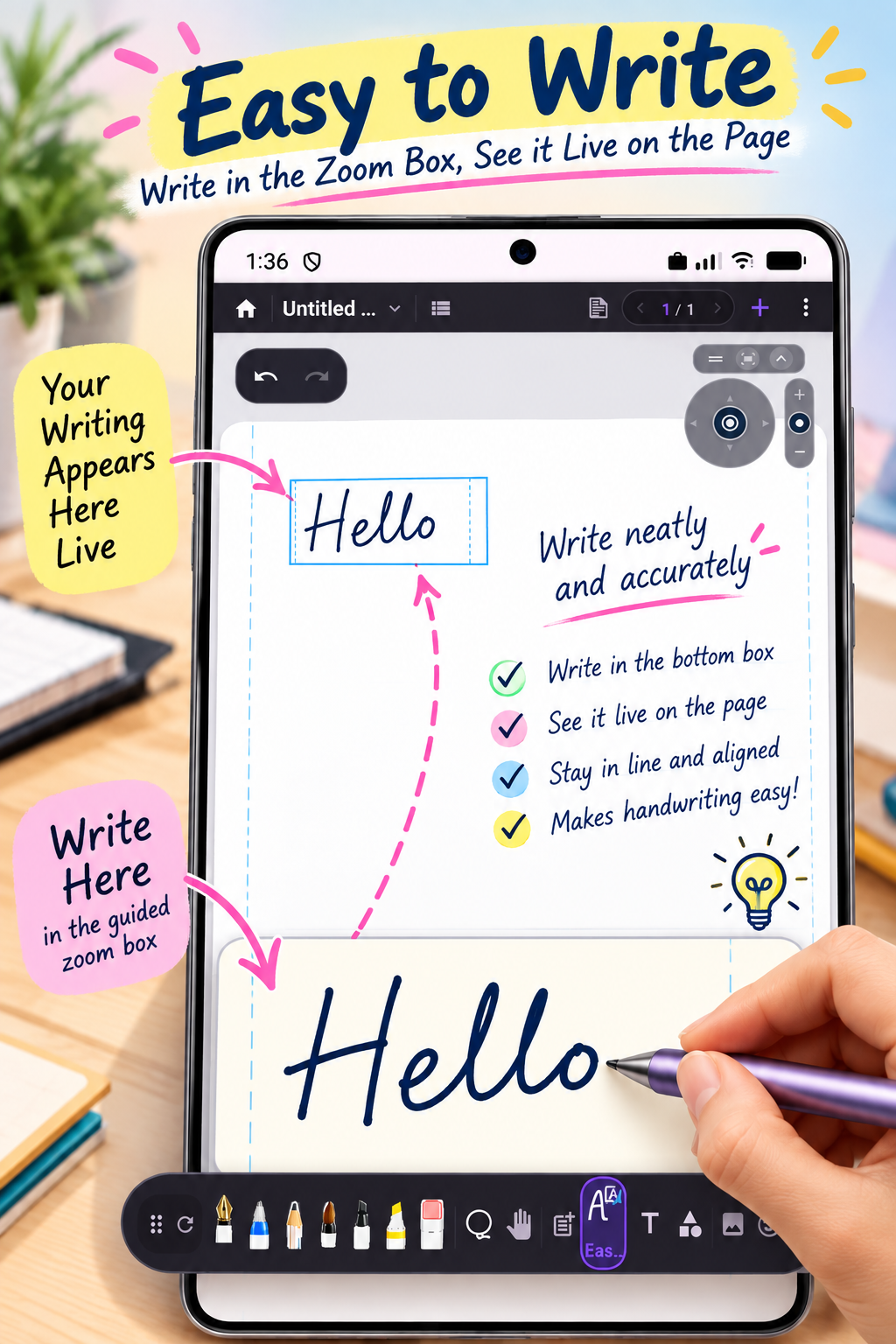
In-App Mobile Screens (Portrait)
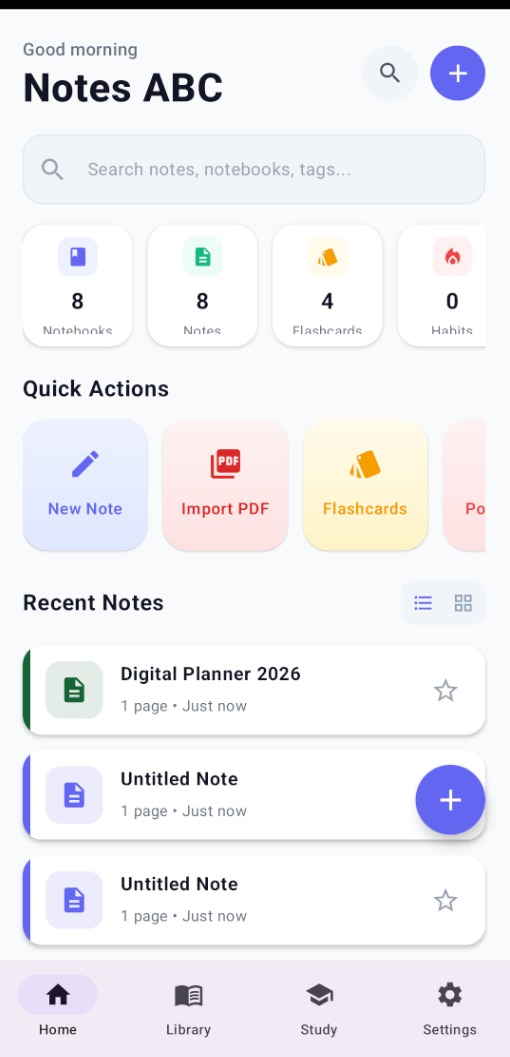
Crafted for Focus, Learning & Privacy
C++17 Native Ink Engine
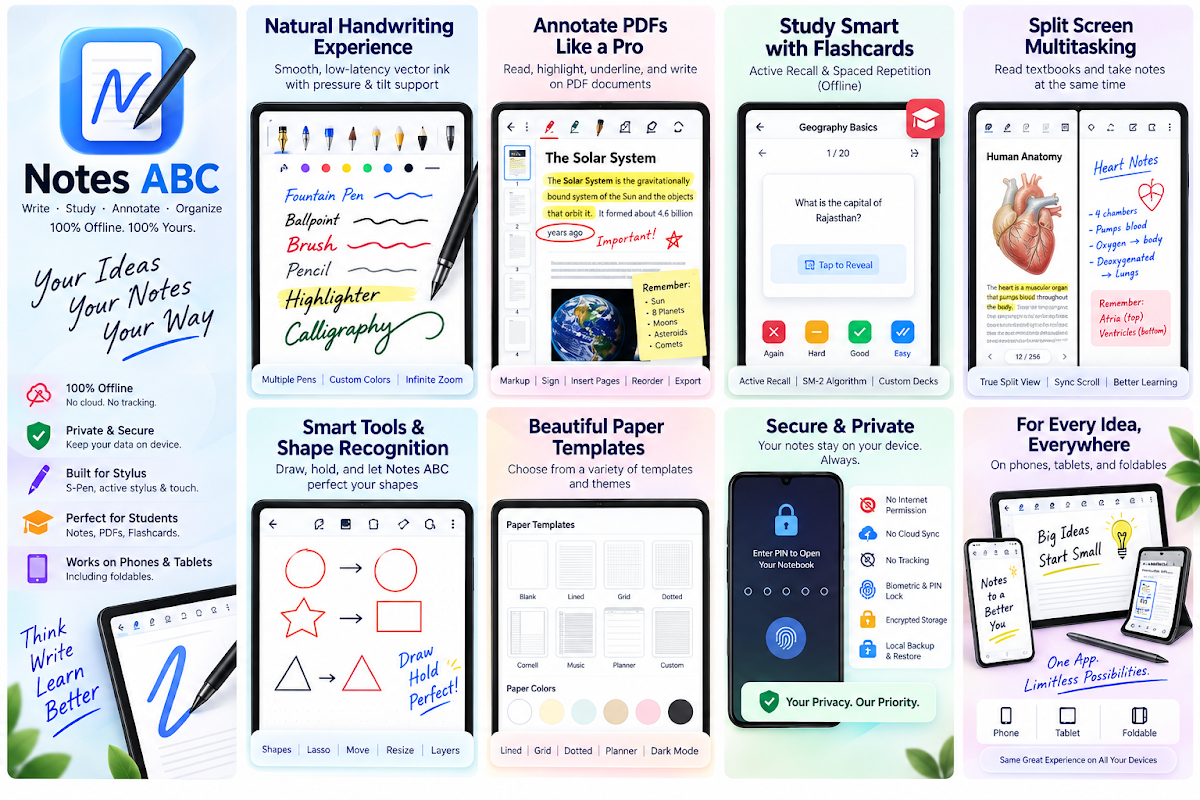
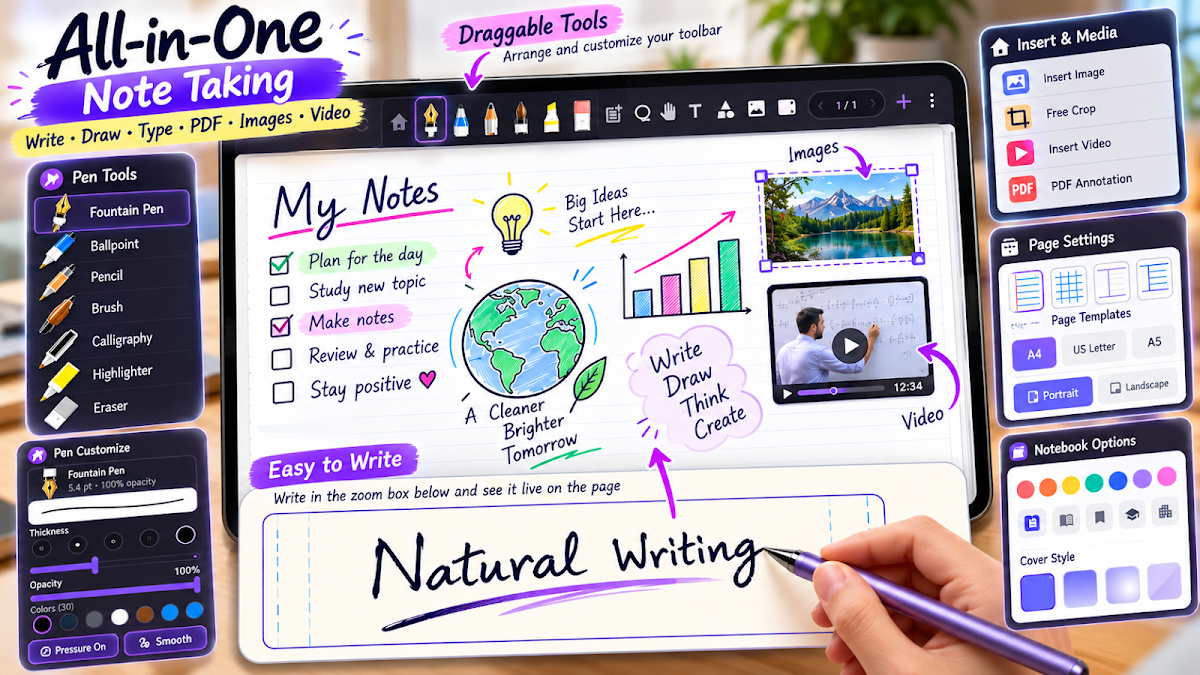
Low-latency, pressure- and tilt-sensitive drawing engine with fountain, ballpoint, and brush nibs, multi-layer canvas, and spline handwriting beautification.
Pro PDF Annotation & Vector Export
Tiled rendering for smooth pan and zoom across massive textbooks. Add highlights, digital signatures, bookmarks, and re-export your strokes as pure vector paths.
On-Device CAS Math Assist
Handwritten or typed math equations parsed and solved symbolically using a bundled on-device Computer Algebra System (CAS). No cloud LLM required.
SM-2 Flashcards & Active Recall
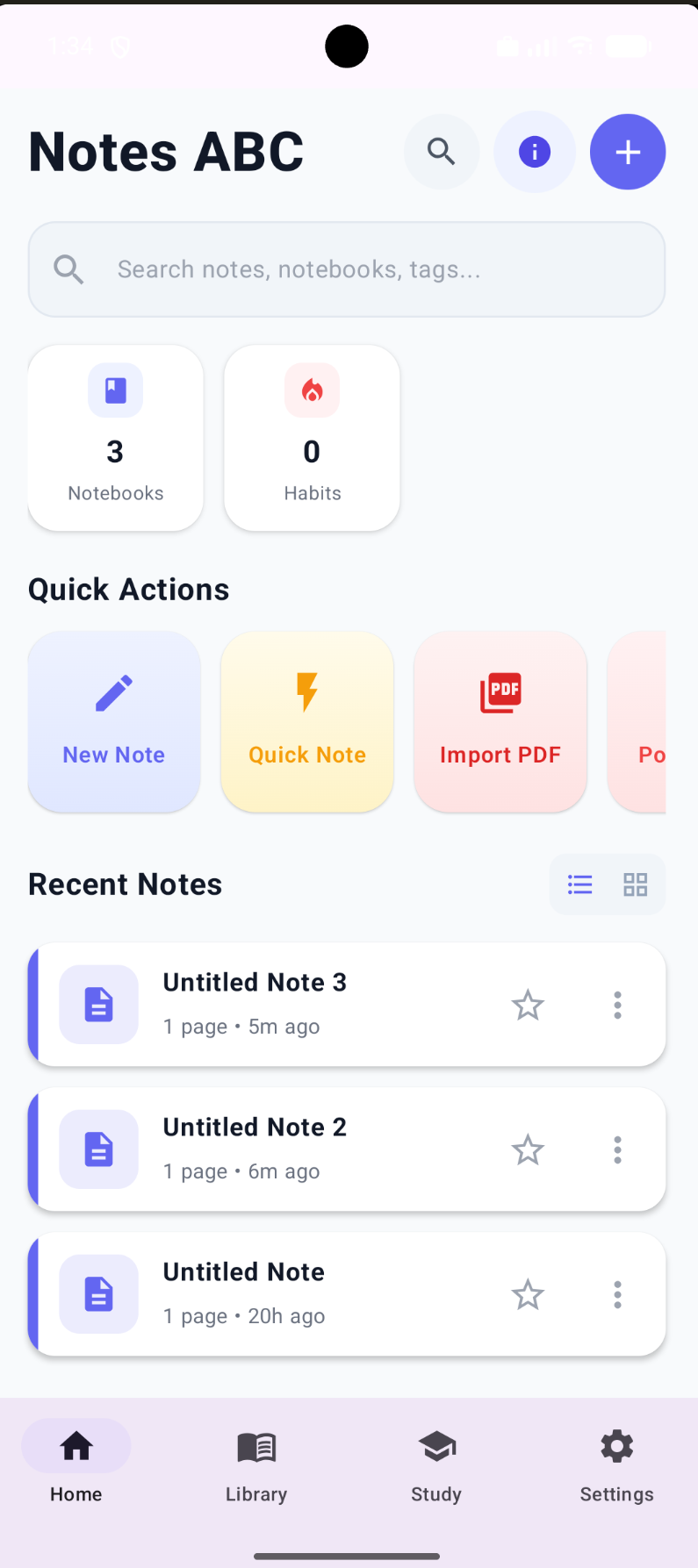
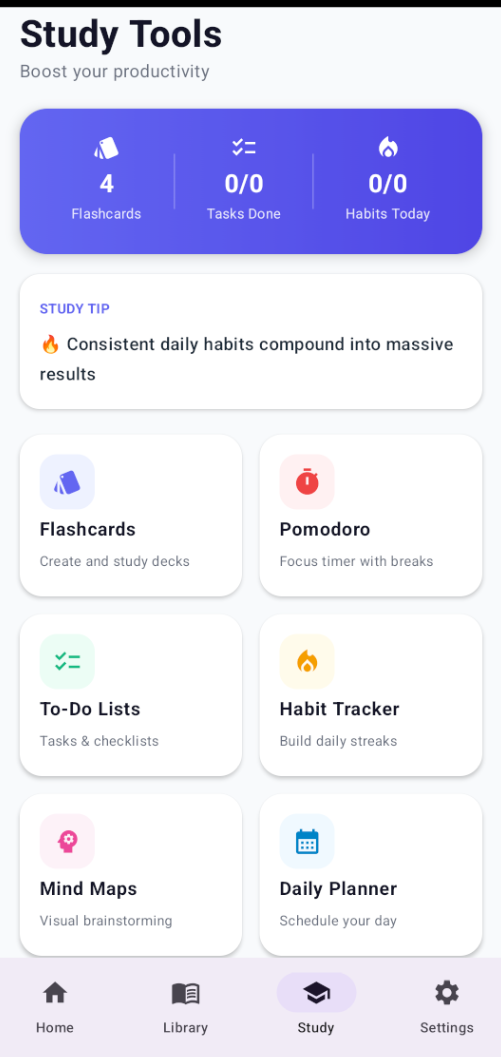
Study sets scheduled with the scientific SM-2 spaced-repetition algorithm. Occlude answers with digital Active Recall tape and tap to reveal.
Document Scanner
Scan handouts and notes with automatic perspective correction and edge cropping to compile them directly into high-res PDFs.
SQLCipher Encrypted Local Storage
100% offline. No accounts required, no cloud leaks. All notebooks and study sets are stored securely on your phone with optional biometric and PIN lock.
Technical Specifications
| Platform & Devices | Android™ (Phones, Tablets & Active Stylus / S-Pen) |
| Application Name | Notes ABC: Digital Notebook & PDF |
| Core Architecture | Kotlin Jetpack Compose UI + C++17 Native JNI Core Engine |
| Target SDK | Android 14+ (SDK 34) |
| Minimum Operating System | Android 8.0 (API level 26) or higher |
| Data Privacy & Security | 100% Offline. Zero cloud accounts, zero telemetry. Encrypted using Room + SQLCipher hardware-backed keystore. |
Comparison: Why Students & Professionals Switch to Notes ABC
Looking for a high-performance, distraction-free study sanctuary with zero recurring fees? Here is how Notes ABC compares against subscription-based and cloud note apps:
| Capability / Feature | Notes ABC (Our App) | Subscription-Based Cloud Note Apps | Vendor-Locked Ecosystem Notes |
|---|---|---|---|
| Native 120 FPS Vector Engine | ✅ Native C++17 spline engine · Zero stroke lag | ⚠️ Sluggish web-view wrapper on Android | ✅ Fast proprietary engine |
| Active Recall Tape & SM-2 Flashcards | ✅ Built-in occlusion tape · Auto spaced repetition | ⚠️ Basic tape only (no SM-2 flashcard scheduler) | ❌ No active recall or study tape |
| On-Device CAS Math Engine | ✅ Symbolic algebra, integrals & roots · 0 cloud | ❌ Cloud AI subscription needed | ❌ Basic arithmetic calculator only |
| Lossless Vector PDF Export | ✅ Pure vector splines · Infinite resolution | ⚠️ Large bloated PDF files | ⚠️ Flattens strokes to raster images |
| Multi-Device Compatibility | ✅ Universal Android tablets · Active styluses & EMR pens | ✅ Cross-platform | ❌ Locked to single OEM devices |
| 100% Offline SQLCipher Vault | ✅ AES-256 hardware encryption · Zero telemetry | ❌ Mandatory cloud account required | ⚠️ Syncs to proprietary cloud servers |
| Subscription & Pricing | ✅ 100% Free Closed Beta · No forced subscription | ❌ Expensive annual subscription ($9.99+/yr) | ✅ Pre-installed on OEM hardware only |
Real-World Workflows: Designed for Serious Learners
Notes ABC replaces physical binders, highlighters, index cards, and graphic calculators in one seamless tablet workstation:
STEM & Engineering
Calculus & Physics StudentsWrite out complex multivariable calculus equations, differential equations, and matrix algebra. Let the on-device CAS evaluate indefinite integrals and verify step-by-step proofs without opening a browser or paying for cloud math solvers.
Medical & MCAT Studies
Medical Students & CliniciansImport Netter's anatomy diagrams and pharmacology slides. Cover anatomical labels and drug interactions with Active Recall Tape. Study cards on daily spaced repetition rotations using the SuperMemo SM-2 algorithm to achieve 95%+ exam retention.
Law School & Bar Exam
Law Students & Legal ScholarsMarkup thousand-page casebooks with tiled PDF rendering that never stutters. Highlight precedent rulings, annotate margins with fountain ink, and occlude case holding summaries for instant active recall testing.
Journaling & Stationery
Creative Writers & PlannersCustomize your digital workspace with Japanese washi tapes, Cornell ruled templates, dot-grid sheets, and premium paper textures. Enjoy tactile 120 FPS ink that behaves like natural fountain pens with zero digital lag.
Step-by-Step: How to Use Active Recall Tape for Exam Prep
Master active recall and spaced repetition in Notes ABC to supercharge your study efficiency:
Open Note or Import PDF
Launch Notes ABC and open your handwritten class notes or import a textbook PDF chapter directly from device storage.
Select Active Recall Tape
Tap the Active Recall Tape tool in the floating stylus toolbar. Pick your desired occlusion color or patterned washi tape design.
Occlude Key Concepts
Drag the tape across vocabulary terms, anatomical tags, mathematical formulas, or historical facts that you need to memorize.
Study & Grade Recall (SM-2)
Tap Start Study Session. Tap any tape to reveal the answer. Grade yourself from 1 to 5; the scientific SM-2 algorithm schedules optimal review intervals.
Common Questions About Notes ABC & Digital Note-Taking
What is vector ink and why does it feel smoother than normal note apps?
Raster ink apps store strokes as pixel images that become pixelated and blurry when zoomed. Notes ABC uses a native C++17 vector engine that turns strokes into parametric cubic Bézier splines rendered at 120 FPS, providing infinite resolution, sub-pixel pressure responsiveness, and compact vector PDF exports.
How does Notes ABC achieve superior stylus response and offline learning efficiency?
While conventional note apps often require monthly subscriptions or run as sluggish web-view wrappers on Android, Notes ABC is engineered natively for Android tablets with a custom C++ vector engine, on-device CAS math solver, built-in Active Recall study flashcards, and 100% offline local privacy with zero accounts or subscriptions.
How does Active Recall Tape help with exam preparation?
Active Recall Tape lets students draw digital occlusion strips over definitions, formulas, or anatomical labels. During review mode, tap to reveal answers and test retrieval strength. Occluded areas can be automatically scheduled as flashcards with the SuperMemo SM-2 spaced repetition algorithm.
Can Notes ABC solve calculus and algebra equations on-device without internet?
Yes. Notes ABC includes an embedded Computer Algebra System (CAS) that computes derivatives, integrals, matrix equations, and polynomial roots locally without requiring cloud subscriptions or network connectivity.
How does Notes ABC provide universal stylus support beyond vendor-locked devices?
While default device note apps are often restricted to a specific brand or cloud ecosystem, Notes ABC runs universally across all Android tablets with S-Pen and active stylus support. Additionally, Notes ABC offers true vector PDF export without rasterization blur, interactive Active Recall study tape, and an on-device CAS symbolic math engine.
Can I annotate large PDF textbooks and export vector notes without loss of quality?
Yes. Notes ABC utilizes tiled PDF rendering that handles 1,000+ page textbooks smoothly. When exporting annotated documents, handwritten annotations are rendered as true vector spline overlays rather than flattened bitmap graphics.
Does Notes ABC support palm rejection and pressure sensitivity for styluses & digital pens?
Yes. Notes ABC features hardware-level palm rejection and supports 4,096 levels of pressure and tilt sensitivity across active pens, EMR styluses, and universal tablet pens.
Are handwritten notes encrypted locally on the device?
Yes. All notebooks are encrypted on device flash memory using SQLCipher with AES-256 standard encryption, protected with biometric fingerprint unlock or a custom PIN code.
Can I use Notes ABC completely offline without an internet connection or account?
Yes. Notes ABC is 100% offline-first. There are no mandatory logins, no telemetry tracking, and no external cloud servers storing your personal thoughts, academic research, or clinical patient notes.
How do I join the Google Play Closed Testing program for Notes ABC?
You can join the Google Play Closed Testing track by clicking the 'Join Testing Program' button on this page. Once opted in with your Google account, you can install the beta directly from the Google Play Store.
Experience the future of offline digital handwriting.
Download Notes ABC directly from Google Play Store today.