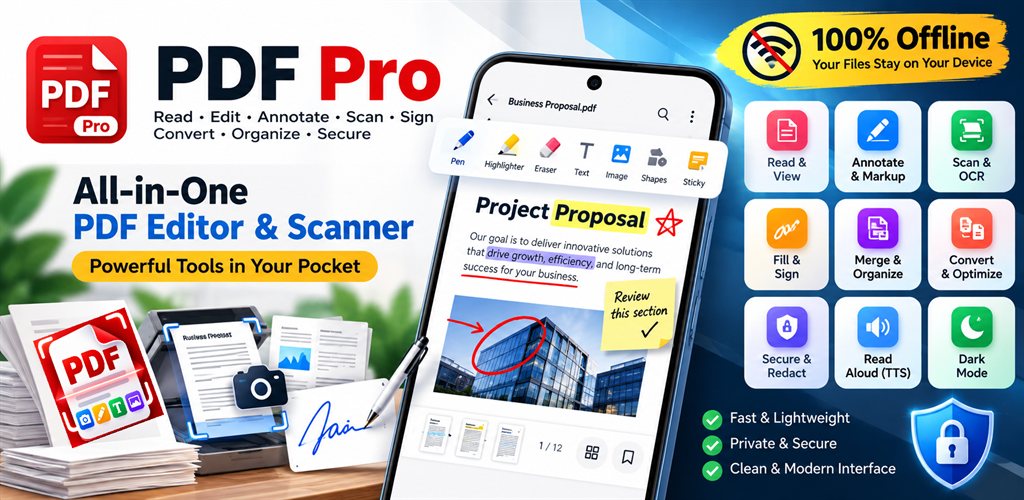
App Interface & Tools Showcase
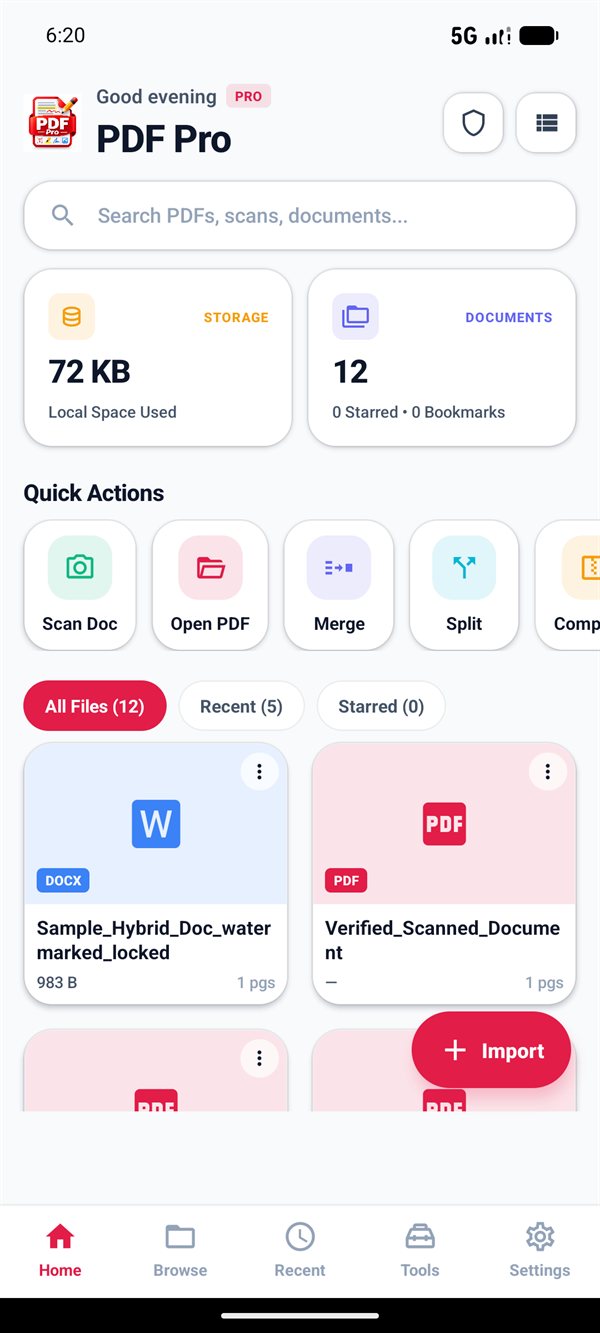
Click the landscape feature graphic or any screenshot to view in full resolution lightbox.
In-App Mobile Screens (Portrait)
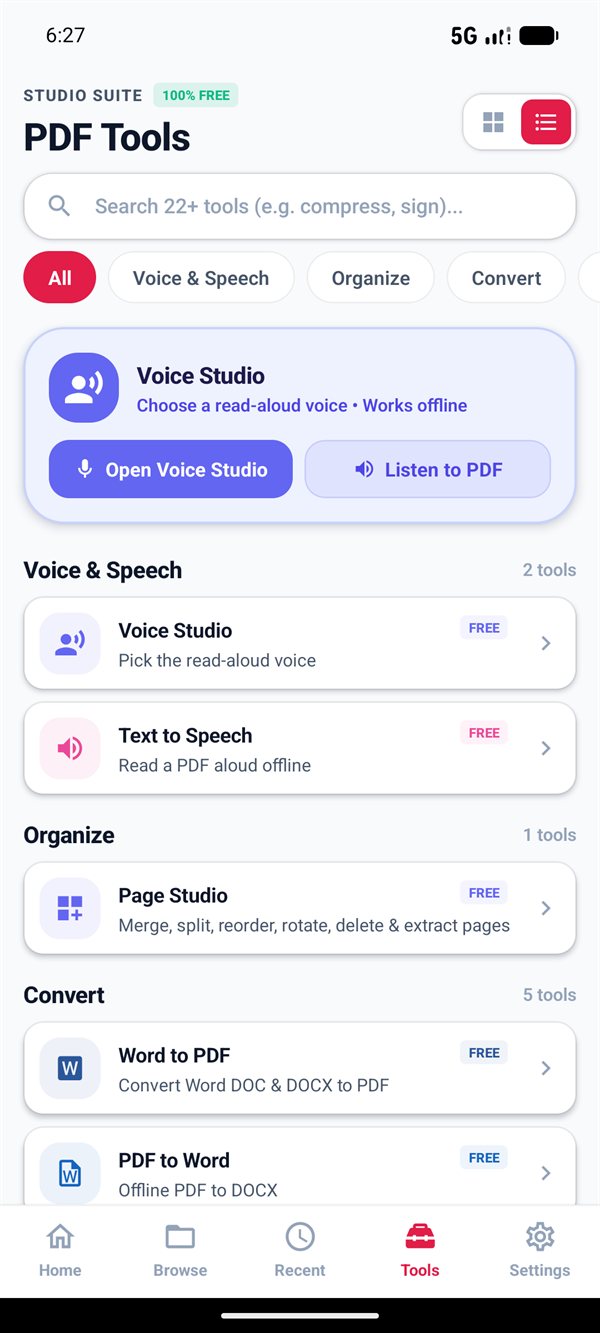
22+ Pro Tools Built for Document Power Users
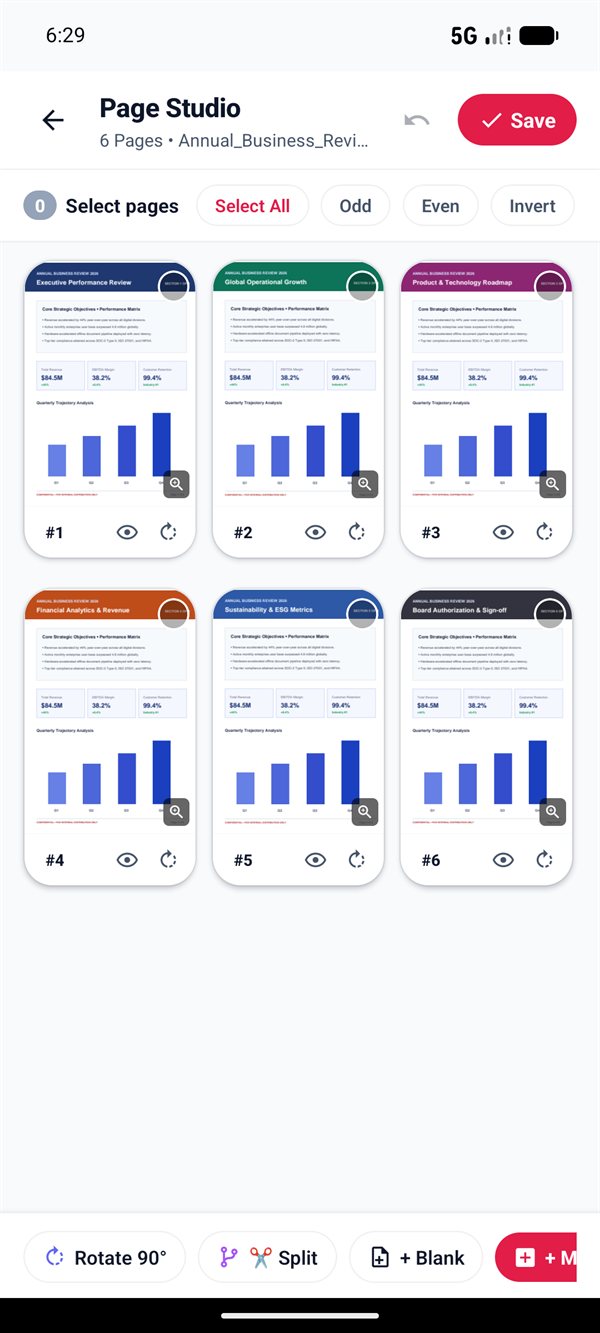
Visual Page Studio
Intuitive drag-and-drop page reordering, 90° clockwise/counter-clockwise rotation, page extraction, deletion, and blank sheet insertion with live thumbnail previews.
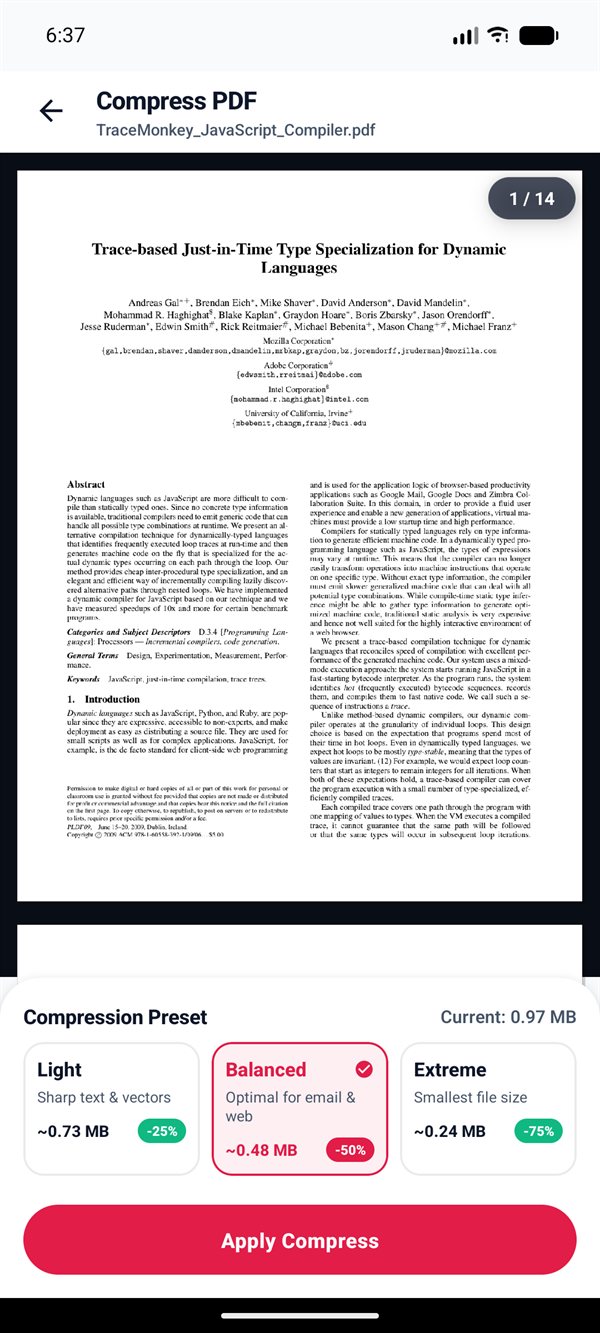
Smart Compression Studio (Up to 75%)
Intelligent multi-pass vector and image resampling reducing bulky PDF sizes by up to 75% without compromising typography sharpness or contract readability.
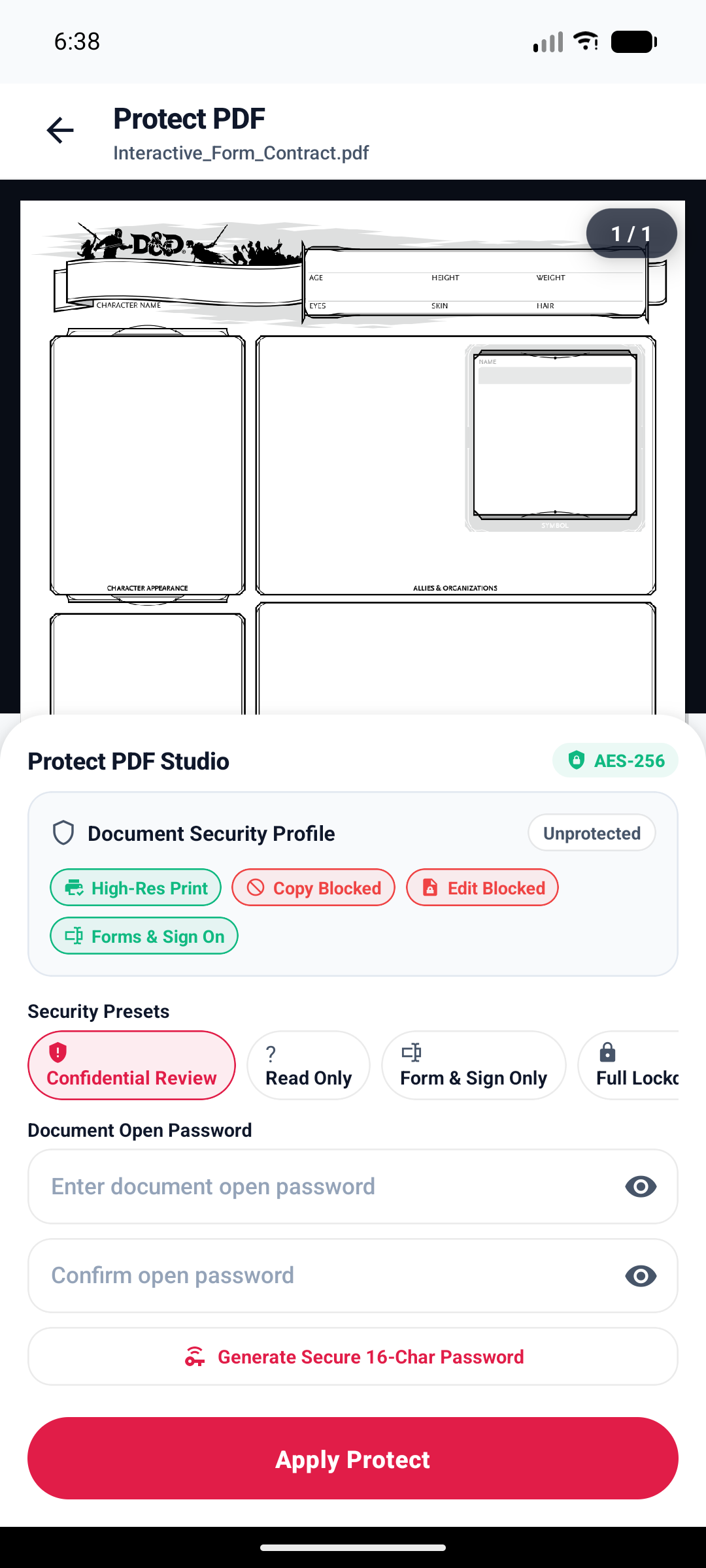
Bank-Grade AES-256 Encryption
Protect confidential financial reports, legal agreements, and identity documents with standard AES-256 password protection and permission restrictions (print/copy lock).
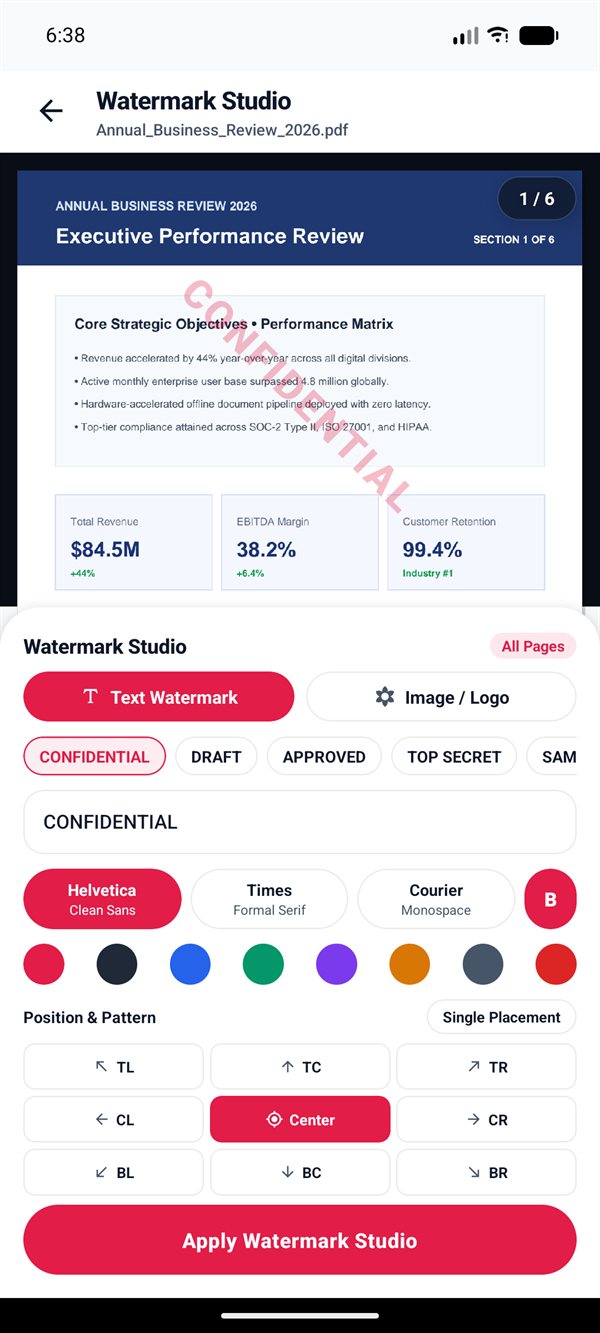
Live Watermark Designer
Add custom copyright, confidentiality, or company watermarks with real-time 9-grid alignment, 4 rotation angles (0°, 45°, 90°, 135°), font styling, and transparency controls.
Universal Document Suite
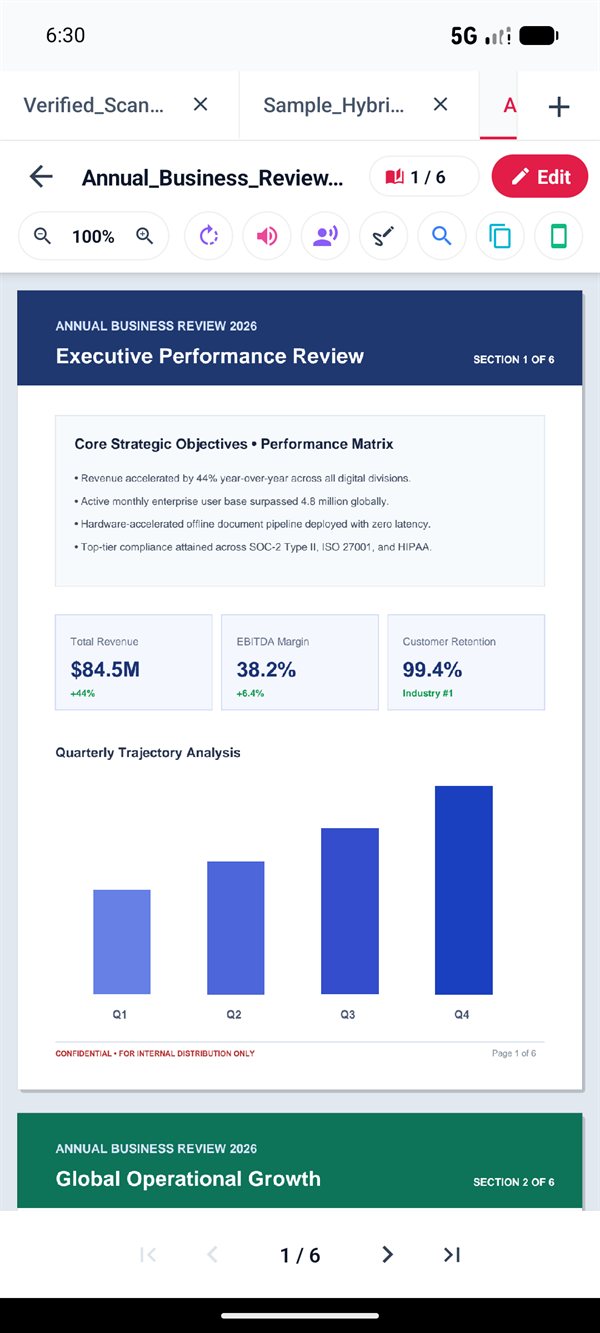
Native on-device viewer and converter for Word (.docx, .doc), Excel spreadsheets (.xlsx), and PowerPoint presentations (.pptx) documents with zero cloud upload.
Offline Voice Read-Aloud Studio
Built-in on-device Text-to-Speech (TTS) engine with 5 voice personas to listen to research papers, articles, and ebooks hands-free with zero internet data usage.
Technical Specifications
| Platform & Devices | Android™ (Phones, Tablets & Foldables) |
| Application Name | PDF Pro: 100% Offline Smart PDF Hub |
| Application Package ID | com.pdfpro1 |
| Distribution Status | Google Play Store (Closed Testing Track · Pre-Release) |
| Engine Architecture | Kotlin Native PDF Engine + React Native Core |
| Memory Management | 48 MB Byte-Bounded LRU Cache & Multi-LOD Tile Rendering Pyramid |
| Target SDK | Android 14+ (SDK 34) |
| Minimum Operating System | Android 8.0 (API level 26) or higher |
| Data Privacy & Security | 100% Offline. Zero cloud accounts, zero telemetry. Hardware-backed AES-256 standard encryption. |
Comparison: Why Professionals Switch to PDF Pro
Looking for a secure, 100% private solution for all your document workflows without uploading confidential files to third-party servers? Here is how PDF Pro compares against cloud-based PDF services:
| Capability / Feature | PDF Pro (Our App) | Subscription-Based Document Apps | Web & Cloud Upload Converters |
|---|---|---|---|
| 100% Offline Data Privacy | ✅ 100% On-Device · 0 cloud uploads | ⚠️ Pushes to Third-Party Cloud Servers | ❌ Uploads files to remote web servers |
| Smart Compression (Up to 75%) | ✅ Bicubic resampling + font preservation | ❌ Locked behind paid subscription tier | ⚠️ Severe file size & daily task limits |
| Visual Page Studio (Reorder / Rotate) | ✅ Visual drag-and-drop thumbnail grid | ❌ Requires paid monthly subscription | ⚠️ Cumbersome web browser interface |
| Bank-Grade AES-256 Vault | ✅ ISO 32000-1 user & owner permissions | ✅ Supported (requires paid subscription) | ⚠️ Decryption happens on remote cloud |
| Offline Voice Read-Aloud (TTS) | ✅ 5 voice personas · Synchronized tracking | ⚠️ Basic voice engine (internet required) | ❌ Not supported |
| Universal Office Viewer | ✅ DOCX, XLSX, PPTX viewed natively offline | ❌ PDF only (requires external office viewers) | ❌ Requires cloud upload & conversion |
| Subscription & Ads | ✅ 100% Free Closed Beta · Zero forced subs | ❌ Recurring subscription ($12.99+/mo) | ❌ Intrusive banner ads & per-task paywalls |
Real-World Workflows: Designed for Sensitive Documents
PDF Pro protects corporate confidentiality while providing essential everyday document utilities:
Legal & Contracts
Attorneys & Corporate CounselProtect NDAs, merger agreements, and partnership contracts with ISO 32000-1 AES-256 encryption. Restrict unauthorized printing, text copying, or content extraction with independent owner and user passwords.
Tax & Accounting
CPAs & Financial ConsultantsCompress bulky multi-megabyte audit reports and scanned receipts by up to 75% for government filing portals. Merge monthly tax invoices into clean sequential PDFs without uploading financial data to web converters.
Research & Academia
Graduate Students & ScholarsListen to complex 50-page academic papers and journals hands-free during commutes using the offline Text-to-Speech (TTS) engine. Apply custom diagonal text watermarks ('CONFIDENTIAL DRAFT') before sending peer review copies.
Mobile Executives
On-the-Go Business TravelersCorrect upside-down camera scans with 1-tap 90° rotation in Visual Page Studio. Delete unnecessary blank sheets, reorder agreement pages via intuitive drag-and-drop, and view Office documents without third-party converters.
Step-by-Step: How to Compress PDFs by Up to 75% Offline
Shrink heavy PDF documents for email attachments, WhatsApp, and portals without losing typography sharpness:
Open PDF Pro & Tap Compress
Launch PDF Pro on your Android device and tap the Compress PDF tool from the quick tools dashboard.
Select File from Storage
Pick the oversized PDF file from your phone storage, downloads, or external SD card.
Choose Compression Profile
Select your preferred compression profile: High Quality, Balanced (50%), or Maximum (up to 75% reduction with lossless font preservation).
Save & Share Privately
Tap Compress. The document processes in seconds entirely in device memory. Save or share the optimized file with 100% offline privacy.
Common Questions About PDF Pro & Offline Document Tools
How does PDF Pro compress PDFs by up to 75% without degrading text quality?
PDF Pro utilizes an on-device multi-pass compression engine. It parses the document object tree, keeping embedded TrueType and vector fonts intact so typography remains crisp at all zoom levels, while downsampling oversized camera scans and raster images with bicubic interpolation and lossless Flate stream compression.
How does PDF Pro guarantee complete document privacy and zero recurring costs?
Unlike conventional PDF suites that charge expensive recurring subscriptions or require uploading confidential contracts to remote servers, PDF Pro performs all 22+ document operations 100% locally on your Android device with zero cloud uploads, zero subscriptions, and complete offline autonomy.
How to visually rearrange, rotate 90 degrees, and delete PDF pages on Android?
In PDF Pro's Visual Page Studio, all pages are rendered as high-contrast interactive thumbnails. You can drag and drop pages to reorder them, tap the 90° rotate tool to correct sideways scans, delete unwanted pages, or insert blank sheets without re-encoding existing page contents.
How do I encrypt a confidential PDF contract with AES-256 password protection?
Select 'Protect Document' in PDF Pro. You can set a User Password to control viewing and an Owner Password to prevent unauthorized printing, screen-reading, or text copying using ISO 32000-1 compliant AES-256 standard encryption.
Can I listen to research papers or ebooks hands-free with offline Text-to-Speech?
Yes. PDF Pro includes an offline Voice Read-Aloud Studio with 5 distinct voice personas, speed adjustments, and synchronized sentence tracking, running 100% on-device with zero cellular internet consumption.
Can I view Word (.docx), Excel (.xlsx), and PowerPoint (.pptx) documents offline?
Yes. PDF Pro includes a Universal Document Suite that opens office documents (.docx, .xlsx, .pptx) directly on your device without sending any data to external converters or cloud providers.
How does PDF Pro guarantee privacy compared to online web PDF tools?
Online web converters upload your sensitive contracts, medical records, and bank statements to remote cloud servers where they are vulnerable to data breaches and retention logging. PDF Pro executes all algorithms in your smartphone's sandboxed local memory with zero network calls.
Can I add custom copyright watermarks to PDF pages before sharing?
Yes. PDF Pro includes a live Watermarking Studio where you can apply custom text stamps (e.g., 'CONFIDENTIAL', 'DRAFT', or your company name) with real-time controls for opacity, 45-degree angle rotation, font size, and color.
How do I merge multiple PDFs or split specific page ranges offline?
In PDF Pro, select 'Merge PDFs' to combine multiple documents into a single sequential file. Alternatively, select 'Split PDF' to extract specific page intervals (e.g., pages 5-12) or explode each page into separate files.
How do I join the Google Play Closed Testing beta for PDF Pro?
Click the 'Join Testing Track' button on this page to enroll with your Google account. You will receive immediate access to install PDF Pro directly from the Google Play Store.
Master your documents with 100% offline privacy.
Sign up to join our Google Play Closed Testing track for PDF Pro today.